
What should a website AI answer on day one?
Your website AI should answer the questions people ask before they buy. That means what you do, what it costs, where and when you work, and how long things take. It should explain how to order, pay and return, and know when to hand over to a person.
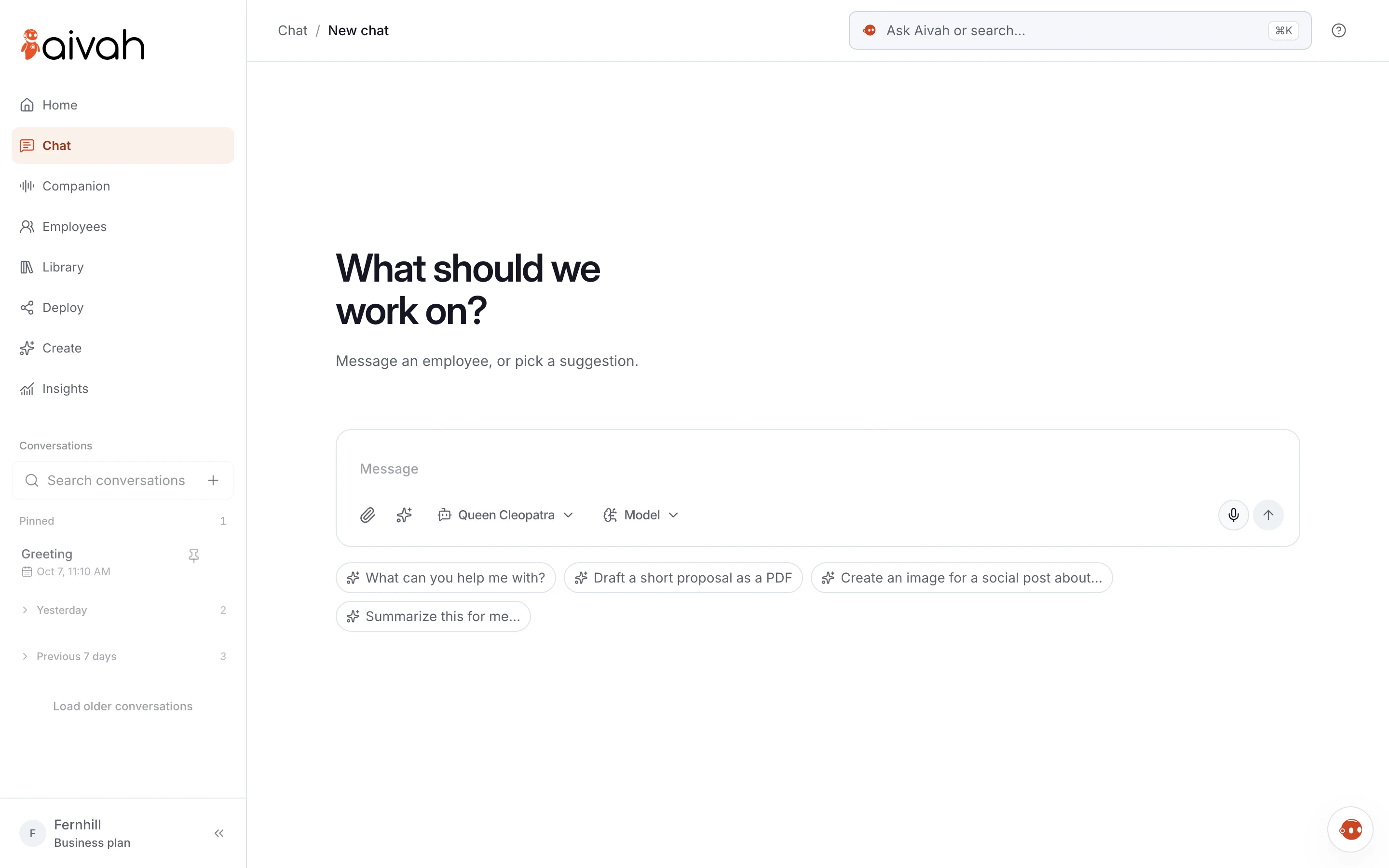
Write one clear answer for each of the 12 questions below. Give the answers to your AI employee as knowledge, then test them. If an answer isn’t written down, your employee should say so instead of guessing.
- The 12 questions are a starting list. Your own chats will show what to add.
- Each answer needs one written source. Remove old versions that disagree.
- Requests that need a person, such as refunds or complaints, get your contact route.
- Read a few chats every week and fill the gaps you find.
Read related guides
What do customers ask about you and your prices?
These three often come first. Clear answers help a visitor decide whether to stay.
- What do you do? One or two plain sentences, and who it’s for. Visitors from search often land on a page that doesn’t explain it.
- Which option is right for me? A short guide to your products, services or plans, and the question that tells them apart.
- How much does it cost? Your current prices or a clear range, and what changes the price. If you quote case by case, say how to get a quote.
Put an AI employee on your website.
Add it as a chat bubble, an embedded page or a link. Visitors can type, talk or see its face.
See it on a websiteWhat do they ask about where, when and how long?
Timing and cost are not small details. Baymard Institute’s research on US online shoppers lists high extra costs, slow delivery and weak returns policies among the reasons people abandon a cart.
Willow Lane Vets, a fictional practice, keeps these answers short and specific. One note reads: “Open until 7pm on weekdays. Check-ups cost $65, and vaccines are extra.”
- Where are you, and do you cover my area? Your address, parking and the areas you serve.
- When are you open? Regular hours, holiday hours and when you reply to messages. Add holiday changes as a short note when they happen.
- How long will it take? Delivery times, lead times or waiting times, as ranges you can keep.
How do they order, pay and change their minds?
Give your employee the policy itself, not a summary from memory. When a policy changes, replace the old file the same day.
- How do I order, book or get a quote? The exact steps and the link to use. Have your AI employee share the link, and let your team confirm.
- How can I pay? The payment methods you accept and when you charge. Have your employee explain this and leave payment to your checkout.
- What if I change my mind? Your returns, refund and cancellation policy, word for word. Tell it never to bend a policy or promise a refund.
When should it hand over to a person?
The last three questions are about trust. A good answer often means handing over well.
Usability researchers at Nielsen Norman Group give the same advice. Tell people clearly what the chat can do, and offer a way out to a real person.
- I have a problem with my order or account. It shouldn’t guess about one customer’s order. Have it share your support email or contact page.
- Can I speak to a person? Always say yes, and say how: a phone number, an email or a contact form, with your hours.
- What do you do with my details? Point to your privacy policy and say who will contact them. Never promise more than your policy says.
How do you find your own top questions?
The 12 above are a start. Your customers will add their own in the first week.
- Ask whoever answers your phone and inbox for the ten questions they hear most.
- Search your sent emails for answers you type again and again.
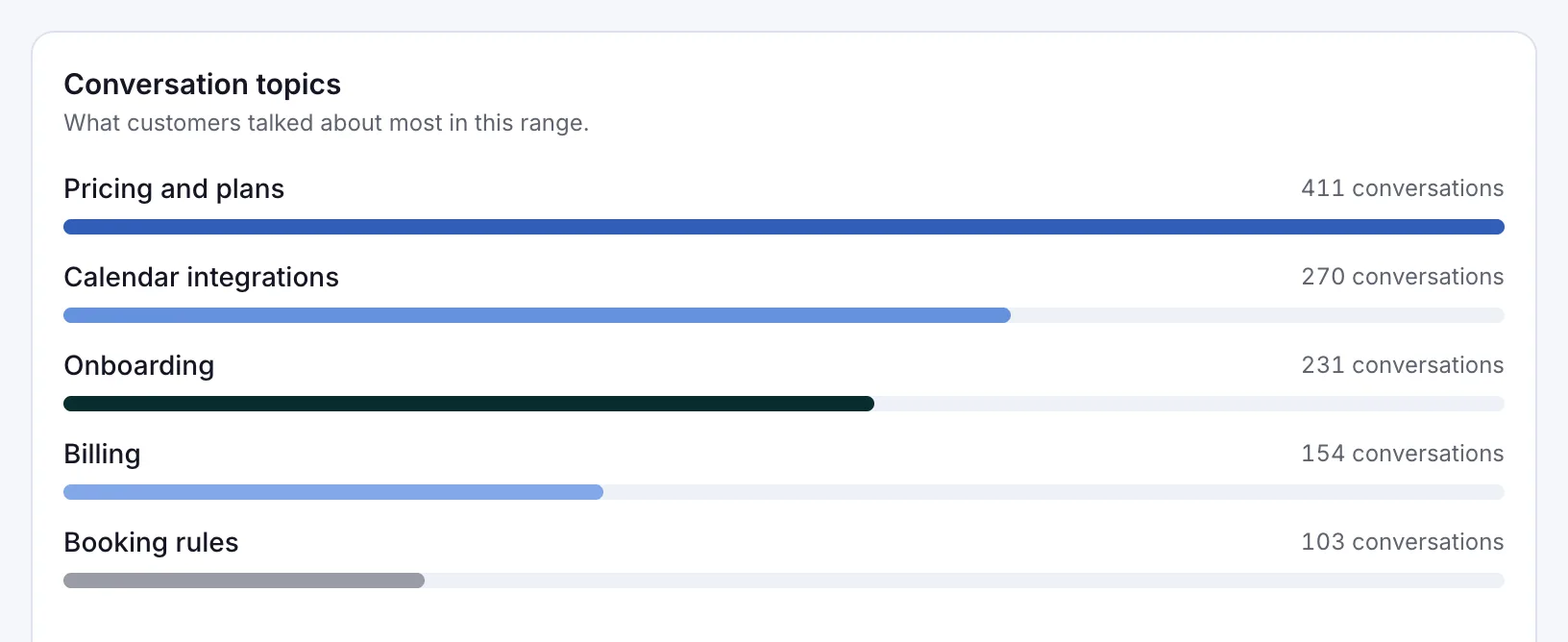
- After launch, open Insights, where Aivah keeps every chat. On its Overview, Conversation topics shows what customers raised most.
- Read Chat history each week and note any question it couldn’t answer.
Read related guides
How do you give it the answers and test them?
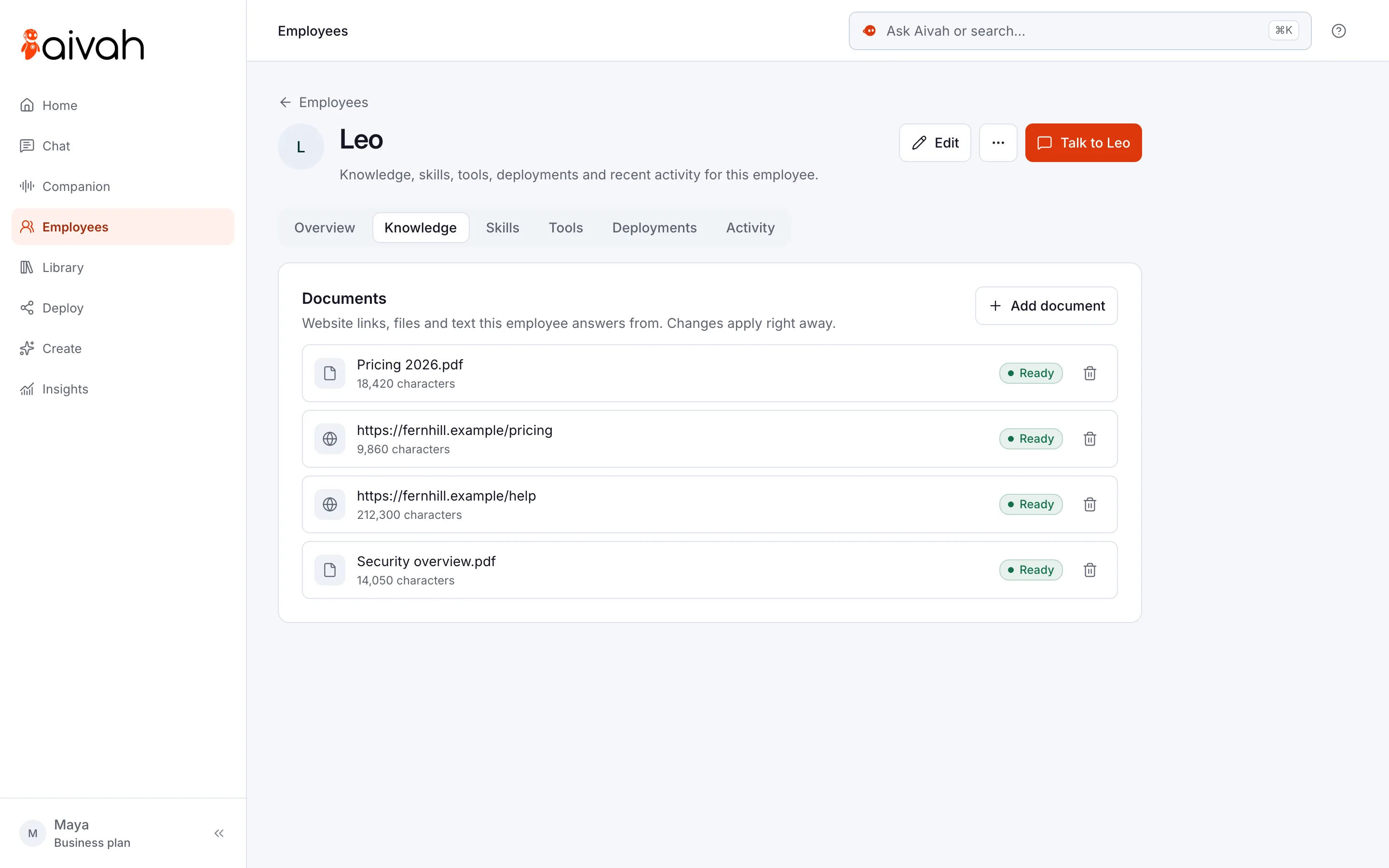
Add your answers on the employee’s Knowledge tab. It takes website links, documents such as PDFs and short text notes. Each one shows Ready once your employee has learned it.
Then add a few lines to its instructions. You can copy these and fill in the brackets:
“Answer only from our website and documents, in short replies. If the answer isn’t there, say so and share [contact page]. Never promise discounts, refunds or dates.”
Before launch, ask all 12 questions in Chat. Ask a few in your customers’ own words, and one it can’t answer. Fix one thing at a time, then ask again.
Read related guides
What are the limits of a website AI?
A website AI is only as good as what you give it. Plan for these limits before launch.
- Old or conflicting files lead to wrong answers. Keep one current source for each fact.
- Keep payments and bookings in your own checkout and booking tools. Have it share those links, and let your team confirm.
- It shouldn’t give legal, medical or financial advice. Have it take the question and pass it to a qualified person.
- Prices, stock and dates change. Update the source the same day, or leave exact figures to a page you keep current.
- A chat reply can sound like a promise. Tell it never to promise discounts, refunds or delivery dates.
Questions people ask about website AI answers
What should a website chatbot answer first?
Start with what you do, what it costs, where and when you work, and how long things take. Then cover ordering, payment, returns and how to reach a person. These are the questions visitors ask before they decide.
How many questions should it know before launch?
Start with your top 12 and a written answer for each. Add more each week from the chats you read in Insights. A short list of correct answers beats a long list of guesses.
What if a customer asks something it doesn’t know?
It should say it doesn’t know and share your contact route, such as an email or contact page. Add a line like “If the answer isn’t in our sources, say so” to its instructions.
Should it answer questions about refunds?
It can explain your written refund policy. It shouldn’t approve a refund or bend the policy. Send those requests to your team with your support email or contact page.
How often should I update its answers?
Update the source the same day a price, policy or opening time changes. Then read a few chats each week and fill the gaps you find.
Start with your own 12 answers
Start free, add your answers and ask your AI employee all 12 questions yourself. When it gets them right, put it on your website with the Hobby plan.
Read related guides