
What documents should you give an AI employee?
Give your AI employee the documents that answer what customers actually ask: your FAQ, services, prices, policies, hours and how to reach a person. Use one current version of each. Leave out customer records, staff files, passwords, drafts and anything you wouldn’t show a customer word for word.
It matters because your AI employee answers from what you give it. Two price lists that disagree can mean two different answers. A private file can end up quoted in a public chat.
- Start with the ten questions you hear most, and find the document that answers each.
- Keep one current version per topic. Remove old copies before you add new ones.
- Public jobs get public knowledge. Use a separate AI employee for internal documents.
- A phone line answers from its call prompt, not from these documents.
- A presenter teaches only from its PDFs and videos.
Read related guides
Which documents help most?
Work from your inbox, not your filing cabinet. List the questions customers asked last month, then find the document that answers each. If none does, write a short note.
Juniper Pilates, a fictional studio, started with five sources: its class guide, price list, cancellation policy, FAQ and contact page. Together they cover what its front desk hears most weeks.
- Your FAQ: the questions you answer every week, each with its answer.
- Services and prices: what you offer, what it costs and what’s included.
- Policies: cancellations, refunds, returns, deposits and how to complain.
- Hours and places: opening times, holiday hours, addresses and parking.
- Who you serve: the areas you cover, who you work with and what you don’t do.
- How to reach a person: the email, phone or page for each kind of request.
- Key web pages: pricing, FAQ and contact. Add each one as its own website link.
Read related guides
Put one AI employee to work.
Start free, with no card. Hire from a role template or describe the job, then add your documents.
Hire your first AI employeeWhat should you leave out?
Picture a customer reading the document over your shoulder. If that would worry you, leave it out of a public AI employee. Internal documents belong with a second AI employee that only your team talks to, so check your plan has room for two.
Privacy regulators point the same way. The US Federal Trade Commission tells businesses to keep only the personal information they need. The UK’s ICO asks for personal data that is adequate, relevant and limited to what’s needed.
- Customer, patient or student records, and lists with names, emails or phone numbers.
- Staff files: contracts, pay, reviews, rotas and home addresses.
- Passwords, API keys and sign-in details. Keep those in their own forms.
- Internal notes: margins, supplier terms, legal letters and complaint files.
- Drafts and old versions, such as last year’s price list.
- Documents you don’t have the right to share, such as another company’s course.
- Marketing copy that promises more than you deliver.
Sources
Read related guides
How do you prepare documents so it answers well?
Clean documents give clean answers. Spend an hour on these before you upload anything.
- Put the answer first: “Refunds: within 14 days, with the receipt.”
- Use headings that match how customers ask, such as “Do you work weekends?”
- Keep one topic per section, and cut pages that don’t answer customer questions.
- Add short notes for facts that live nowhere else, such as holiday hours or this month’s offer.
- Name files clearly, such as “Price list October 2026.pdf”, so you can spot old ones.
- If a PDF is a scan or mostly pictures, test a question from it before you rely on it.
Does every channel use the same documents?
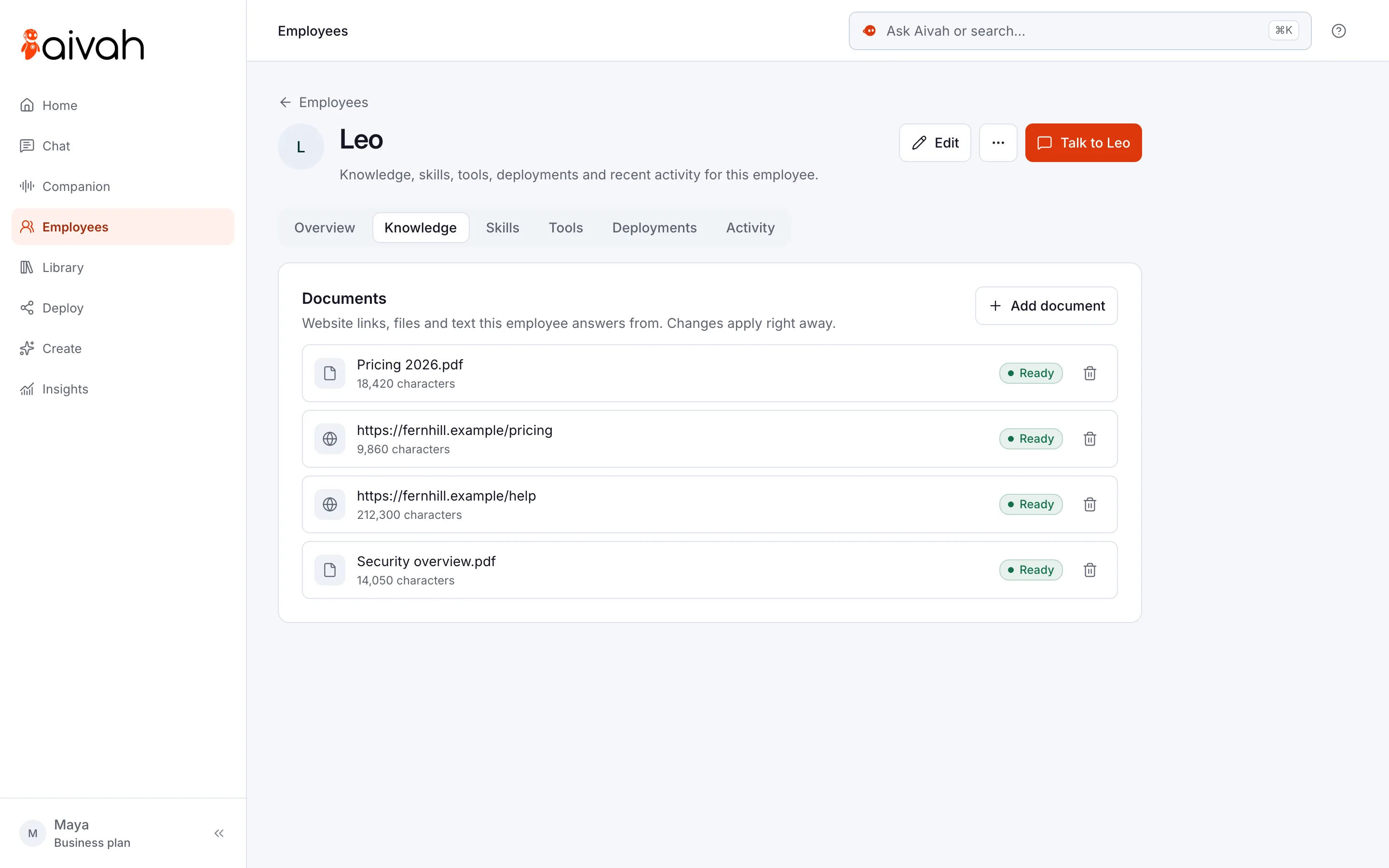
You add documents on the employee’s Knowledge tab: website links, files such as PDFs, Word and PowerPoint, and short text notes. Each source shows Ready once it’s read. If one shows Failed, choose Retry, or remove it and add a fixed copy.
Not every channel reads them the same way. Here’s where each one gets its facts.
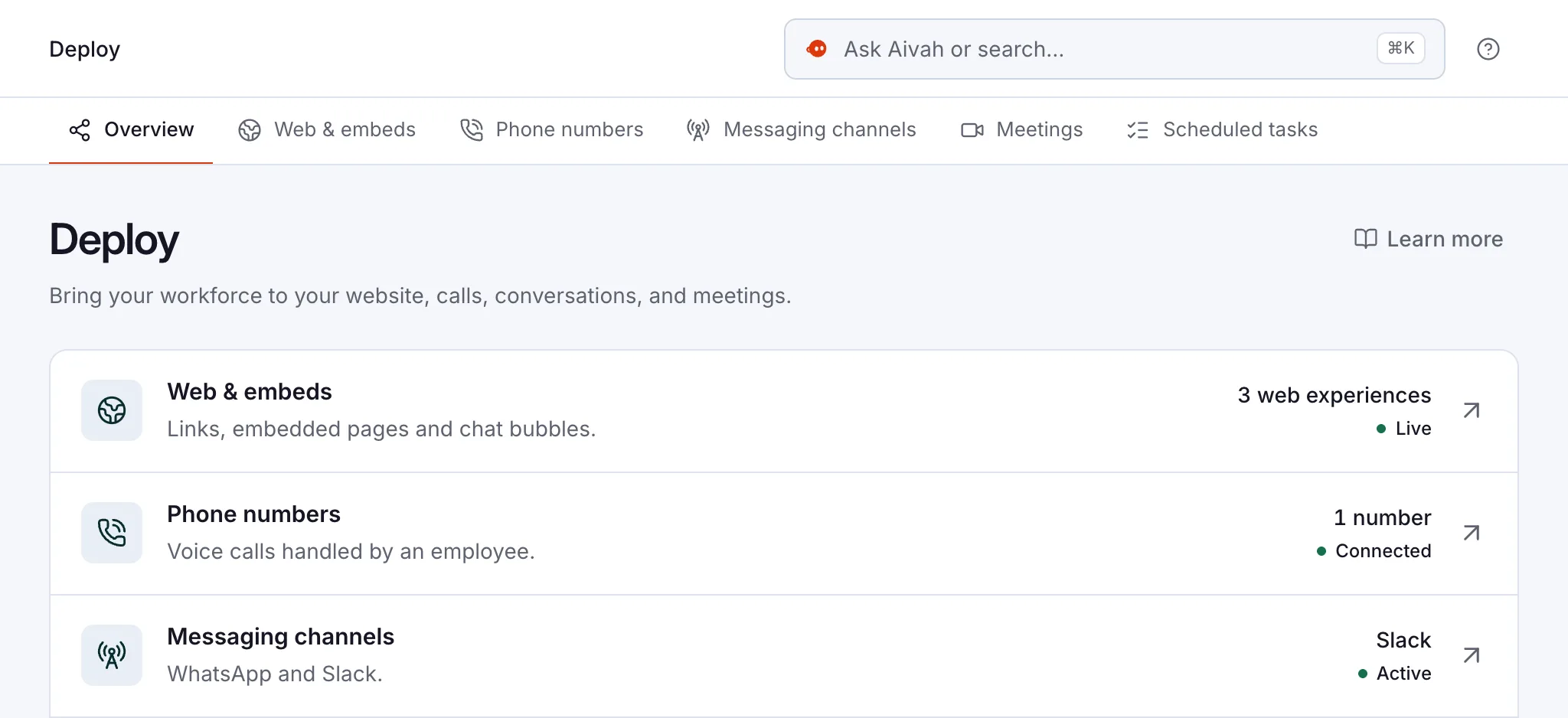
- Website chat, voice and video meetings: its documents and instructions.
- Phone line: the call prompt you write for that number. Put your hours, prices and how to leave a message there.
- Presenter: its lessons, up to 10 PDFs or videos. Website links and text notes aren’t used.
- Content studio: slide decks, podcasts and mind maps come from an AI employee’s documents. Fix a wrong fact at the source, then make it again.
Read related guides
What should you watch after launch?
A source marked Ready isn’t proof that every answer is right. Ask the questions yourself in a new chat. Compare names, prices, dates and hours with your documents.
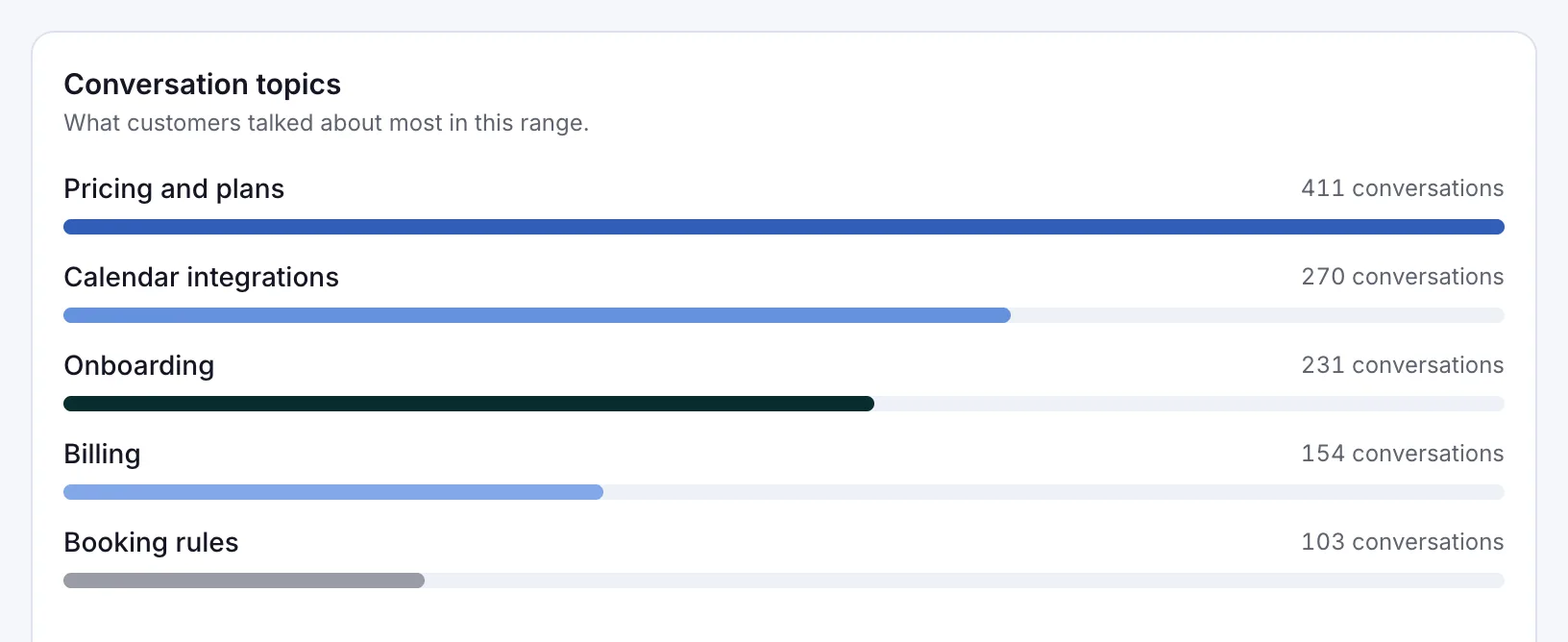
Then read real conversations each week in Insights → Chat history. The Insights overview also shows the topics customers raise most. Add the facts people asked for, then ask again.
- Two sources that disagree can give two answers. Remove the older one.
- Prices and dates go stale. When one changes, replace the file the same day.
- Changes apply right away, but test them in a new chat.
- When a fact is missing, it may guess. Tell it to answer only from your sources, and to say “I don’t know” and share your contact details instead.
Read related guides
Questions about AI employee knowledge
What knowledge should you give an AI chatbot first?
Start with your FAQ, services and prices, main policies and contact details. Those cover the everyday questions. Add more once those answers are right.
Which files can I upload?
On the Knowledge tab, you can add PDFs, Word and PowerPoint files, text files, website links and short notes. Each source shows Ready once it’s been read.
Should I give it customer data?
Not for a public job. Keep customer records, staff files and passwords out of its knowledge. Details visitors choose to share in a lead form arrive in Insights → Leads instead.
What if two documents disagree?
It may give either answer. Remove the older document, then ask the question again in a new chat.
Does the phone line use my documents?
No. A phone line answers from the call prompt you write for that number. Put the facts callers need in the prompt.
Ready to add your first documents?
Start free, hire your first AI employee and add your FAQ and price list. Then ask it the questions your customers asked this week.
Read related guides