
How can AI help with employee onboarding?
AI can take the repeat work out of onboarding. An AI presenter teaches your welcome slides and videos as lessons that new starters can stop, question and be quizzed on. Managers keep what needs a person, such as the welcome and feedback, while an AI employee in Slack answers handbook questions.
Take Brightwater Logistics, a fictional firm that hires five people a month. Its HR lead gives the same two-hour welcome every Monday. With the plan below, new starters take the lessons at their own pace, and she spends that time on one-to-one check-ins.
- A presenter turns up to 10 PDFs or videos into lessons with a quiz.
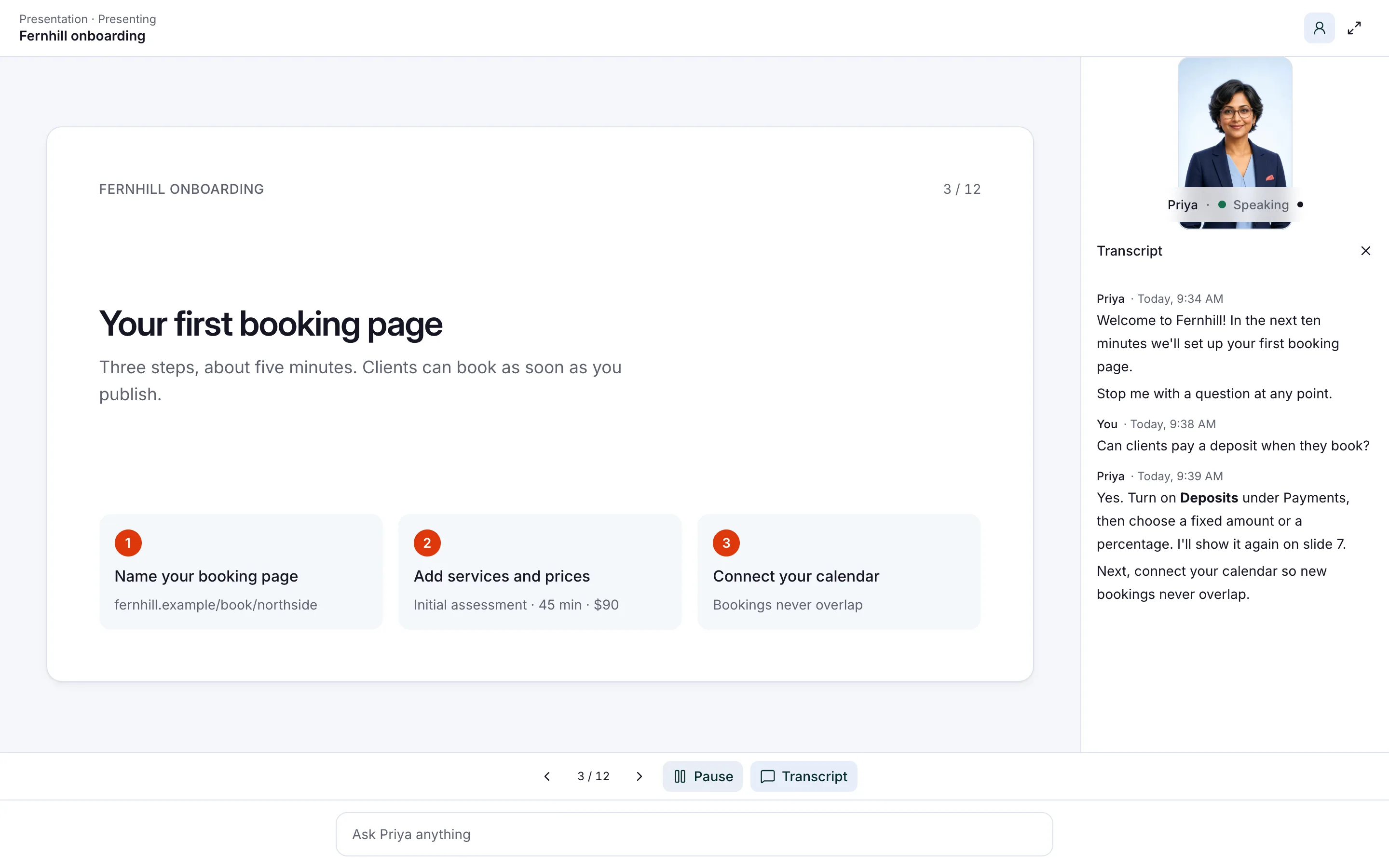
- New starters stop a lesson to ask a question, by voice or by typing.
- Quiz scores land in Insights, your record of every conversation and quiz.
- Your team can ask a second AI employee policy questions in Slack.
- People still own the welcome, the feedback and every HR decision.
Read related guides
What should a 30-day onboarding plan cover?
Onboarding takes longer than a month. Gallup says new employees typically take around 12 months to reach their peak. The first 30 days set the tone for the rest.
Most firms find it hard. In Gallup’s research, only 12% of US employees say their company does a good job of onboarding. Only 29% of new hires say they feel fully prepared and supported after it.
A useful frame comes from a SHRM Foundation guide by Talya Bauer. It splits onboarding into four Cs. AI helps most with the first three.
- Compliance: the basic rules and policies everyone must know. Lessons with a quiz fit well.
- Clarification: what the job is and what’s expected. Role lessons and quick answers help.
- Culture: how your company works and why. A founder’s welcome video can become a lesson people question.
- Connection: the working relationships new starters need to build. This part needs people, not software.
Sources
Turn your files into lessons people can question.
Up to 10 PDFs or videos become lessons people can interrupt, question and be quizzed on, with results in Insights.
See the AI presenterWhat do you need before day one?
Give yourself a week before the next start date. Most of the work is gathering what you already have.
- Your welcome guide or first-day slides, saved as a PDF.
- Short videos you already use, such as a safety walk-through.
- The handbook pages new starters ask about most: leave, expenses, pay days and who to ask.
- One role guide per team: tools, routines and what good work looks like.
- A list of who handles what, so questions reach the right person.
Read related guides
How do you set it up in Aivah?
Cut long decks into short lessons first. A presenter takes up to 10 PDFs (up to 50 MB each) or videos (up to 100 MB each). Ten short lessons are easier to follow than one 90-page manual.
Then write its instructions. Here is a starting point to adapt.
“You are a friendly trainer for new starters at Brightwater. Check in after every few slides. Answer questions from the lessons, then carry on where you left off.”
“At the end, run the quiz and explain any wrong answers. For pay, contracts, health or personal issues, say HR will help and give the HR email.”
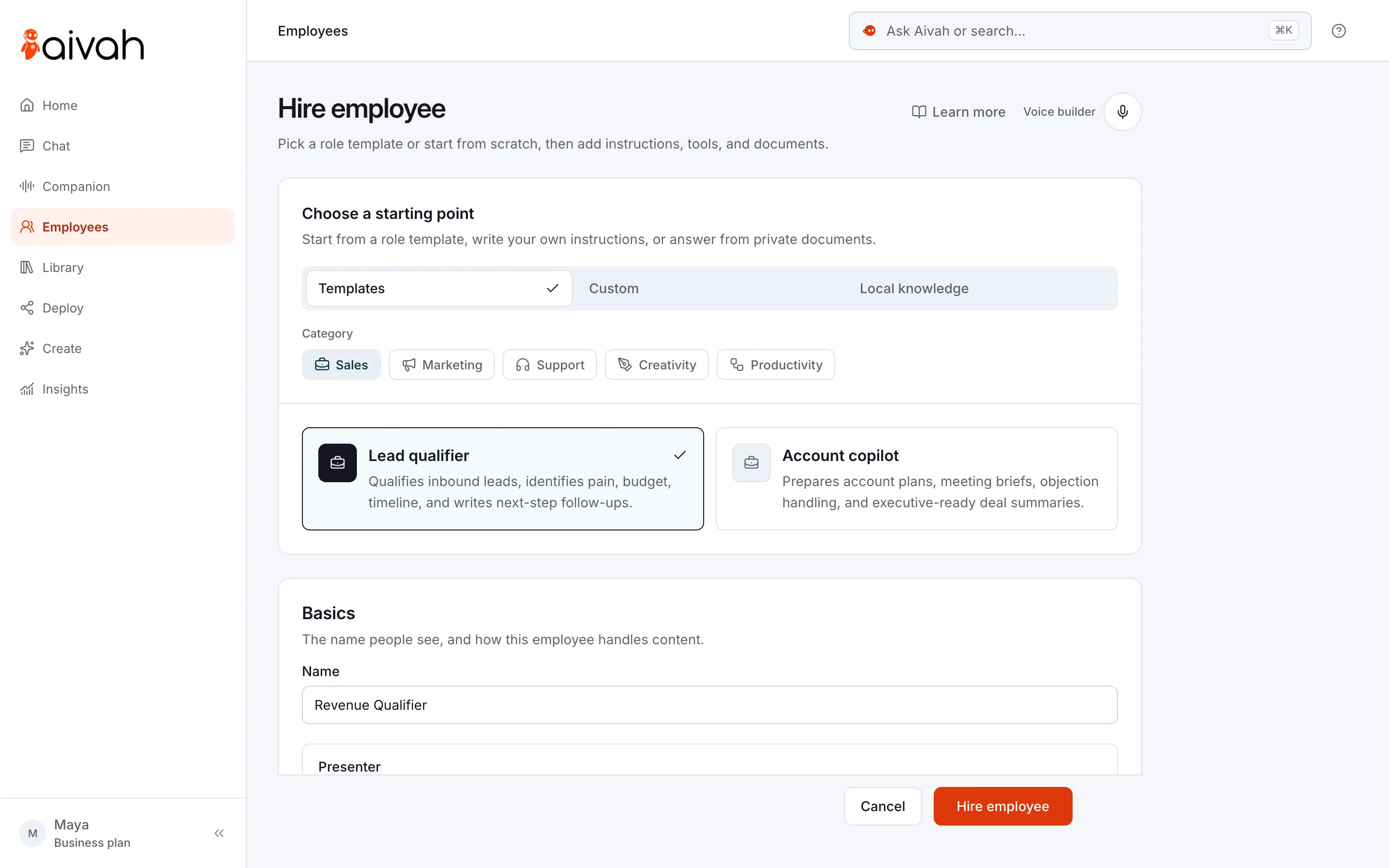
- Hire a presenter. Open Employees → Hire employee and turn on Presenter. You choose this when you hire, so start a new employee for onboarding.
- Add your lessons in teaching order, with day-one lessons first.
- Paste the instructions above and adjust them to your company.
- Give it a face and a voice. Pick a ready-made character, or make one from your HR lead’s photo. Clone her voice from 10 seconds of clear speech, with her permission.
- Rehearse in Chat. Choose Start presentation, interrupt with a question and take the quiz yourself.
- Share it from Deploy → Web & embeds as a direct link, or embed it on your intranet page. Sharing needs the Hobby plan or higher.
Read related guides
What does the 30-day plan look like, week by week?
Here is the plan Brightwater follows. Swap in your own lessons and people.
- Before day one: send the welcome lesson link with the start pack. New starters arrive knowing where to go and what to bring.
- Days 1–2, compliance: company basics, safety and key policies. Each new starter takes the quiz by the end of day two.
- Days 3–7, clarification: the role lessons for their team. Their manager sits with them for the first one.
- Week 2, culture: how you work, who your customers are and what you value. A founder’s welcome video works well here.
- Week 3, connection: shadowing and a buddy. Your AI employees take the repeat questions, so the buddy can teach the job.
- Day 30: the manager reviews quiz scores and open questions with the new starter. HR fixes any lesson that caused confusion.
How do you keep check-ins and questions on track?
Questions don’t stop after day two. Where is the expenses form, when is pay day and who signs off leave?
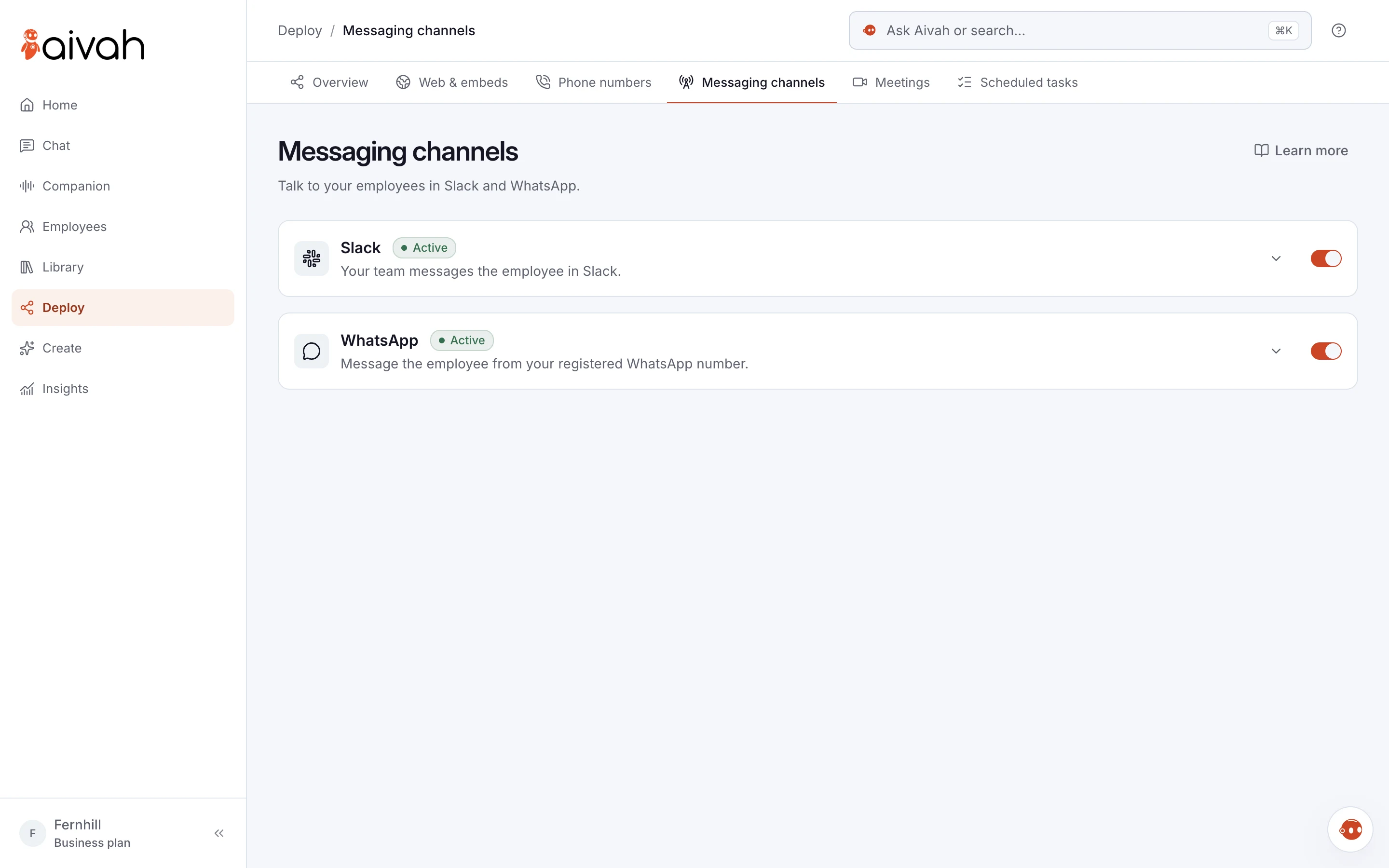
For those, hire a second AI employee and add it to Slack. Give it your handbook pages and the who-handles-what list. Your team messages it in a direct message or a channel you choose.
A presenter can’t be added to Slack, so this is a separate AI employee. Paid plans with two AI employees start on Business, at $300 a month.
Then ask that AI employee in Chat to set your check-in reminders. Each one arrives in Slack or on WhatsApp. For example: “Remind me in one week, two weeks and 30 days to check in with Sam.”
Read related guides
How do you see who finished their training?
New starters type their name and email before the quiz. Open Insights → Quiz to see each attempt with the person’s name, email and score. You can export the page as a CSV file for your records.
Then open Chat history and read what new starters asked. When three people ask the same question, a lesson needs a fix. Replace the file on the presenter’s Knowledge tab, and the next group gets the better version.
What should HR teams watch out for?
AI makes onboarding more consistent. It doesn’t make it human. Keep these limits in mind.
- It doesn’t replace managers. Gallup finds new hires are 3.4 times as likely to feel their onboarding was successful when their manager takes an active role.
- It doesn’t do the paperwork. Contracts, tax forms, payroll and system accounts stay with your current tools and team.
- There’s no built-in link to HR systems. Quiz results export as a CSV file instead.
- It gives no legal or visa advice. Tell it to send pay disputes, health and personal issues straight to HR.
- A quiz score isn’t a verdict on a person. Use scores to find weak lessons, and leave judgements to managers.
- Lessons are only as good as your files. Out-of-date slides mean out-of-date answers.
- Treat the link as shareable. Leave salaries, personal data and anything confidential out of the lessons.
Questions HR teams ask about AI onboarding
Can AI run our whole onboarding?
No. It teaches lessons, answers questions and checks understanding with a quiz. Managers, buddies and HR still welcome people, give feedback and make every decision.
What can I use as lessons?
Up to 10 PDFs (up to 50 MB each) or videos (up to 100 MB each) per presenter. It teaches from these lessons, not from website links or typed text.
Can new starters ask questions in the middle of a lesson?
Yes. They stop the presenter by voice or by typing. It answers from your lessons, then carries on where it left off.
How do I know who completed the training?
Open Insights → Quiz. Each attempt shows a name, email and score, and you can export it as a CSV file. Chat history shows the questions people asked.
What does it cost?
You can start free, with no card, and try it in Chat. Sharing a presenter by link starts on Hobby, at $10 a month, with one AI employee. Adding a second AI employee for Slack needs a plan with two, from Business at $300 a month. Credits are what you spend when your AI employee chats, talks or creates.
Ready to build your first onboarding lesson?
Start free, turn your welcome slides into a lesson and take it yourself before your next new starter does.
Read related guides