
How do you set up an AI receptionist on your own number?
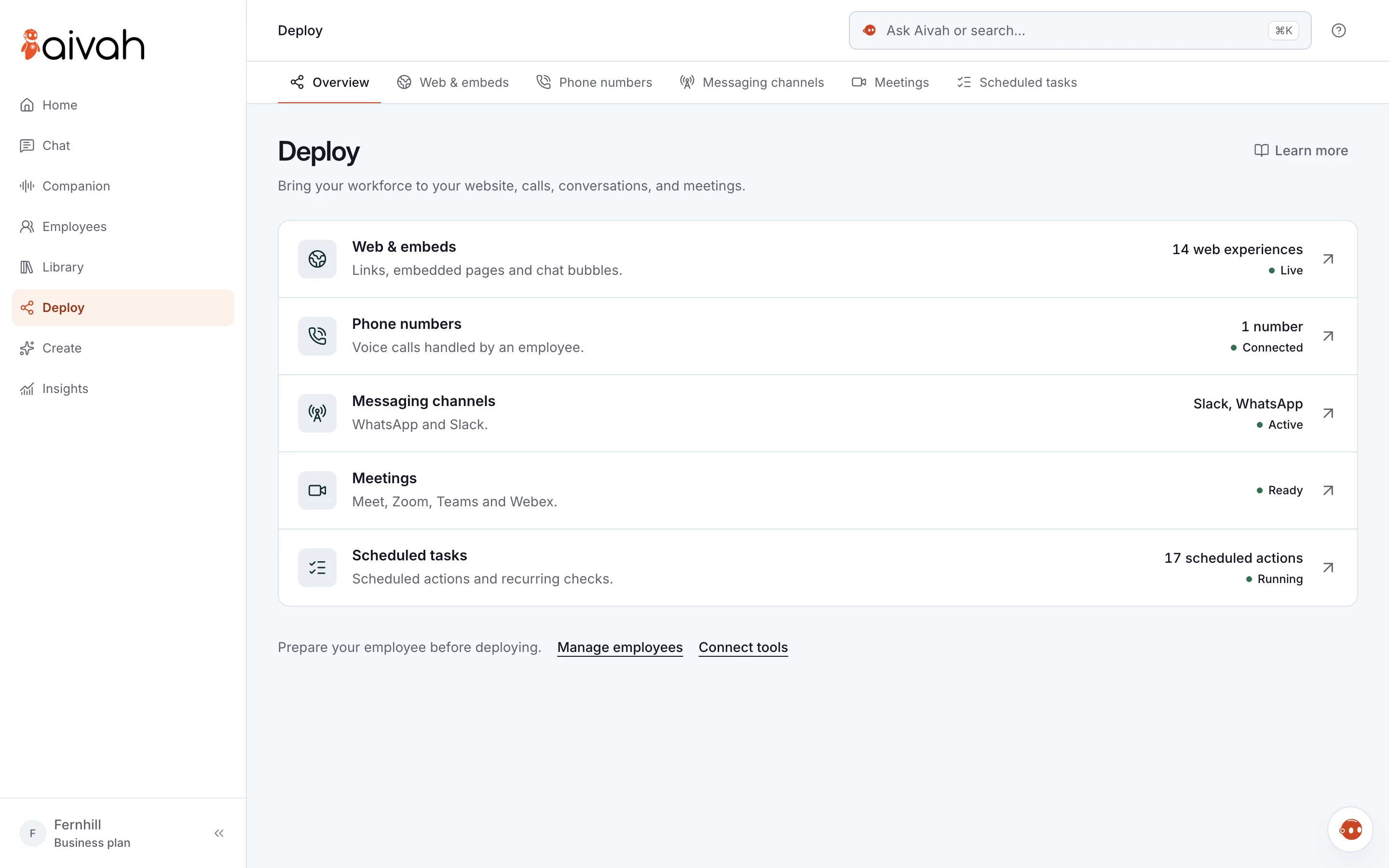
You need three things: a phone number in a Twilio account, a plan with voice calls and a short call prompt. In Aivah, you connect the number under Deploy → Phone numbers, then pick a voice and a call role. Call the number yourself before your customers do.
Take Birch Lane Plumbing, a fictional two-van business. The owner wants calls answered while he’s under a sink. Here is how he would set it up, start to finish.
- Twilio is the phone service your number runs on. The number stays in your Twilio account.
- Your AI employee answers incoming calls only. It doesn’t ring anyone or transfer calls.
- On a call, it answers from the call prompt, not from your uploaded documents.
- It takes messages. Your team books any job or appointment.
- Phone answering starts on Starter, at $99 a month. Aivah connects one number per account.
Read related guides
What do you need before you start?
Gather these first. It saves jumping between tabs halfway through.
Twilio’s prices change, so check its pricing page. On 19 October 2026, a US local number cost $1.15 a month. Incoming calls to it cost $0.0034 a minute.
- A Twilio account. Twilio bills its own number and call charges.
- A Twilio phone number: a new one, or your current number moved to Twilio.
- An Aivah plan with voice calls: Starter or above.
- A mobile phone to make test calls from.
- Your facts: opening hours, services, prices, the area you cover and what counts as urgent.
Put an AI receptionist on your own number.
It answers incoming calls on your Twilio number, takes messages and keeps a transcript of every call in Insights.
See the AI receptionistCan you keep your existing business number?
Yes, in one of two ways. You can move (port) the number into your Twilio account. Twilio then becomes its phone company, and you keep the number.
Or you can leave your number where it is and forward calls to your Twilio number. Ask your phone provider about forwarding calls you don’t answer. That way your team still picks up first.
Porting takes paperwork and time. For US numbers, Twilio needs a signed letter of authorization, and the move happens on a date agreed with your old provider. So test with a new Twilio number first, then move or forward your main number.
How do you connect a Twilio number to Aivah?
Elastic SIP Trunking is the Twilio feature that passes your calls to Aivah. In Aivah, the Setup guide button on Phone numbers shows every field, with copy buttons. Here is the short version, in order.
- In the Twilio console, open Elastic SIP Trunks and create a trunk. Name it “Aivah”.
- Under Termination, choose a SIP address name. Copy the full address Twilio shows.
- Under Authentication, create a credential list with a username and password. Attach it to the trunk.
- Under Origination, paste the address shown in Aivah’s setup guide.
- Under Numbers, attach your Twilio number to the trunk.
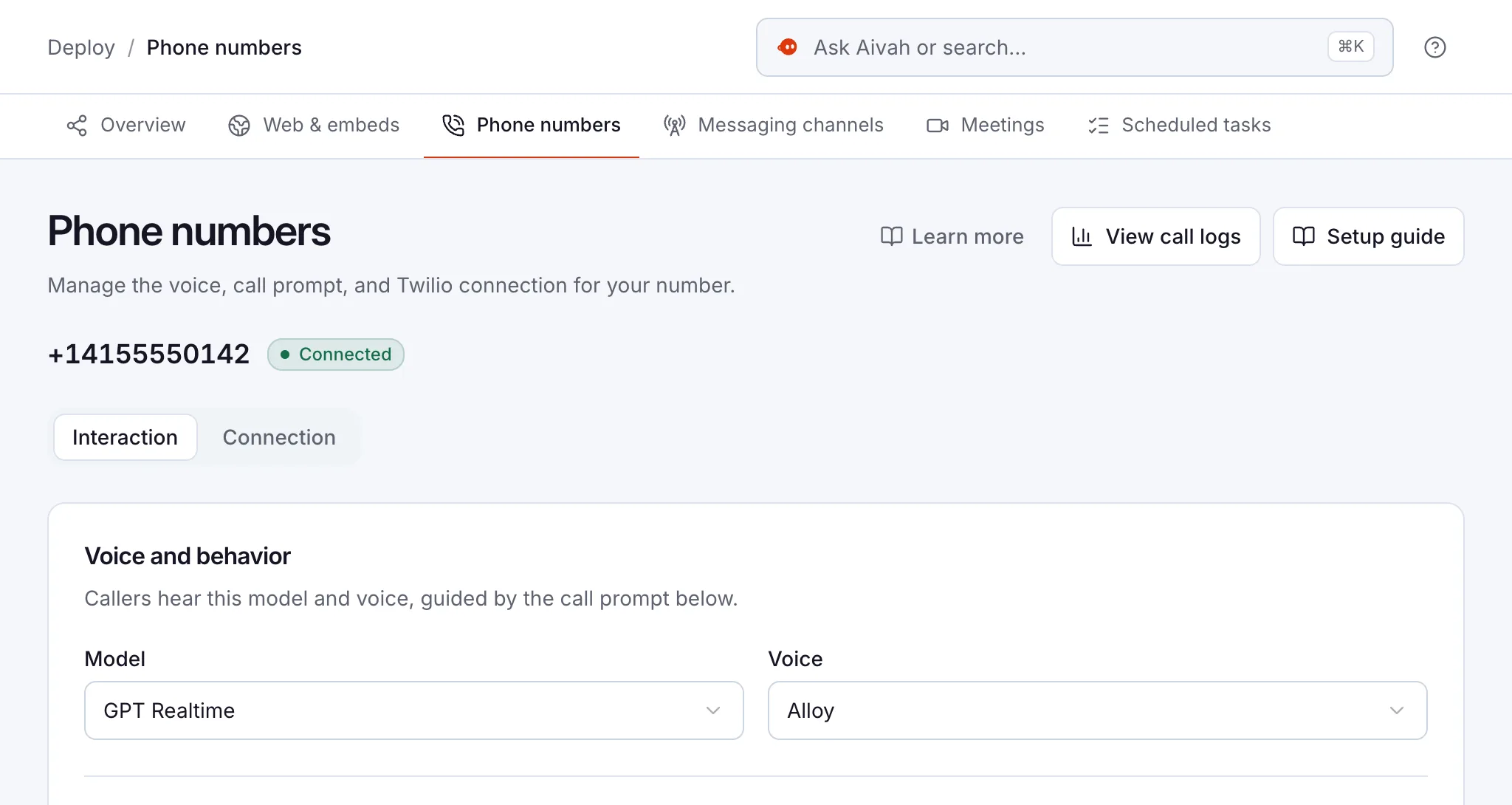
- In Aivah, open Deploy → Phone numbers → Connect a number. Choose the model and the voice callers hear.
- Enter the number in international format, such as +14155550142.
- Paste the Termination SIP address, username and password. Use the credential list, not your Twilio account keys.
Read related guides
What should the call prompt say?
The call prompt is the set of instructions your AI employee follows on calls. It answers from this prompt, not from documents you uploaded. So put the facts callers need right in it.
Under Call persona, start from a role such as Front desk. Or choose “Ask Aivah to write a custom call prompt” and describe your calls. Edit the draft in plain words, then choose Save and connect.
- The greeting: “Thanks for calling Birch Lane Plumbing, how can I help?”
- The facts: hours, services, call-out fee and the towns you cover.
- The details to take: name, number, address and the problem, read back.
- What urgent callers hear, such as safety steps and a number to ring.
- What it must never do: promise a time, quote a job or give advice.
- When your team will call back. Only promise what you can keep.
Read related guides
How do you test it before customers call?
Call the number from your own mobile. Then call again as a tricky customer. A few test calls now save you surprises later.
- Ask about opening hours and a price.
- Ask for something you don’t offer. It should say so.
- Ask to speak to a person. It should take a message.
- Interrupt it mid-answer. Check that it stops and listens.
- Leave your details, then check them in the transcript.
Read related guides
What should you watch after you go live?
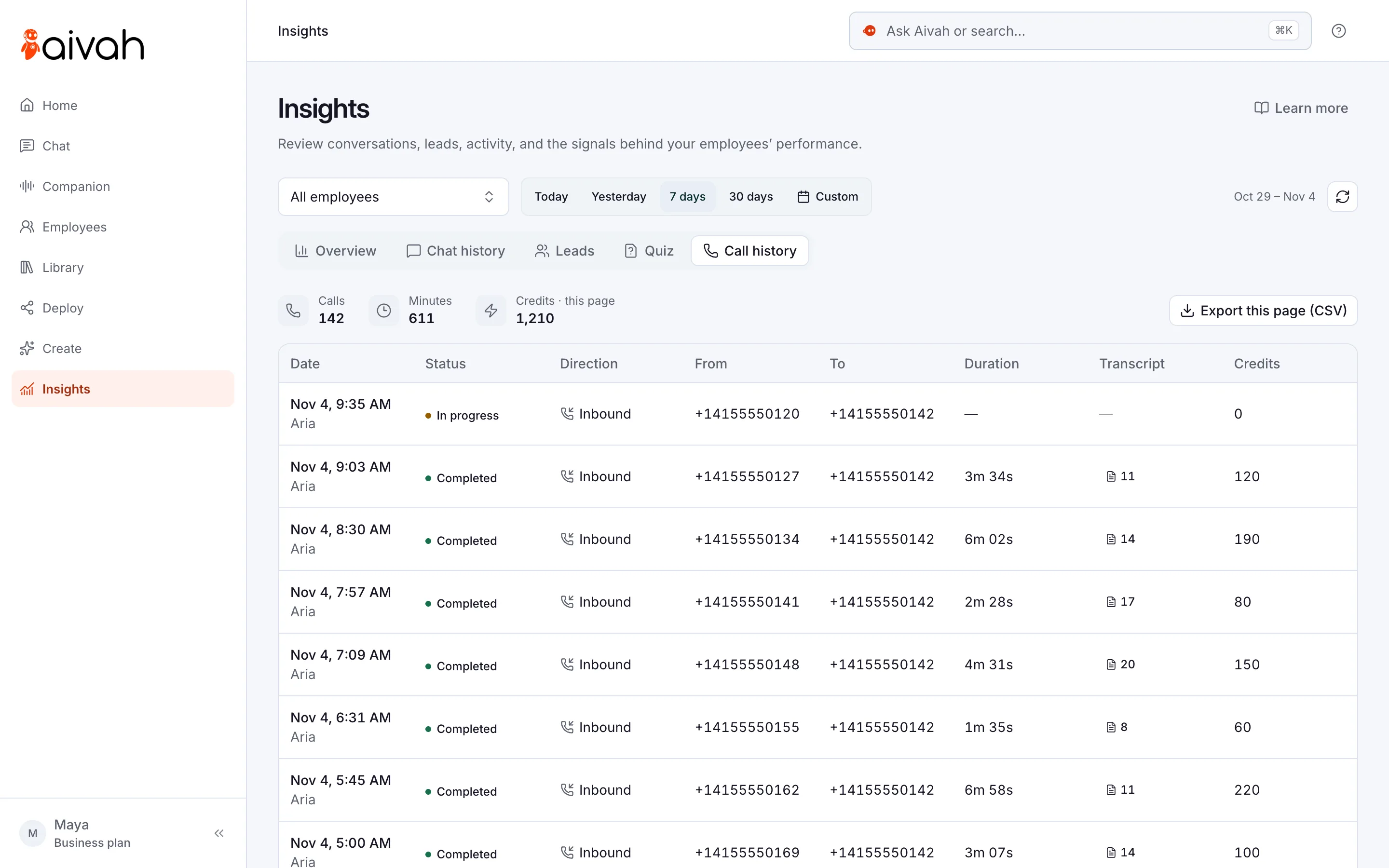
Every call lands in Insights → Call history. Each one shows the time, the caller’s number, the length, the transcript and the credits it used. Credits are what your plan spends when your AI employee talks.
Start with after-hours calls. Once the answers are right, add calls your team can’t reach in the day. Read a few transcripts each week and fix the prompt where callers got stuck.
- It answers incoming calls only. It won’t return missed calls for you.
- It can’t book, take payments or pass a caller to a person. Your team follows up.
- It knows only what the prompt says. Update it when prices or hours change.
- Aivah doesn’t publish a credit rate per minute. Watch Call history in your first weeks.
- Twilio’s number and minute charges come on top of your Aivah plan.
Read related guides
Questions people ask about AI receptionist setup
Do I need to be technical to set it up?
No, but you do copy a few values between Twilio and Aivah. The Twilio setup guide in Aivah shows each field. If a call fails, its Fields and Test tabs help you find the wrong value.
Can I use my current mobile or landline number?
Yes. Either move the number into your Twilio account, or ask your phone provider to forward calls to your Twilio number. Forwarding only unanswered calls lets your team pick up first.
Which plan do I need?
Phone answering starts on Starter, at $99 a month. Standard, Business and Business+ include voice calls too, but Free and Hobby don’t. Twilio bills its own number and call charges.
How many credits does a call use?
It depends on the call. Aivah doesn’t publish a fixed rate per minute. Call history shows the credits each call used, so you see your real cost after a week or two.
Can I change the voice later?
Yes. Change the voice or the model in the number’s settings in Aivah. Then call the number again to hear the difference.
What happens if I disconnect the number?
Aivah stops answering calls on it. The number and the trunk stay in your Twilio account, so you can reconnect later or use them elsewhere.
Ready to answer your first call?
Start free and set up your first AI employee today. When you’re ready to take calls, move to Starter and connect your number.
Read related guides