
How can schools and course providers use AI?
Schools and course providers can hand two jobs to AI employees. An AI employee on your website answers parents’ and learners’ questions about courses, dates, fees and enrolment, day and night. A second one turns your PDFs and videos into lessons that learners can stop, question and be quizzed on.
Take Kestrel Language School, a fictional school for adults. Every September, its two-person office answers the same evening questions about start dates, levels and fees. An AI employee can answer those from the course guide and take each enquiry for the team.
- It answers from the course documents you give it. Tell it to say so when the answer isn’t there.
- It takes enquiries. Your staff decide on places, grades, extensions and refunds.
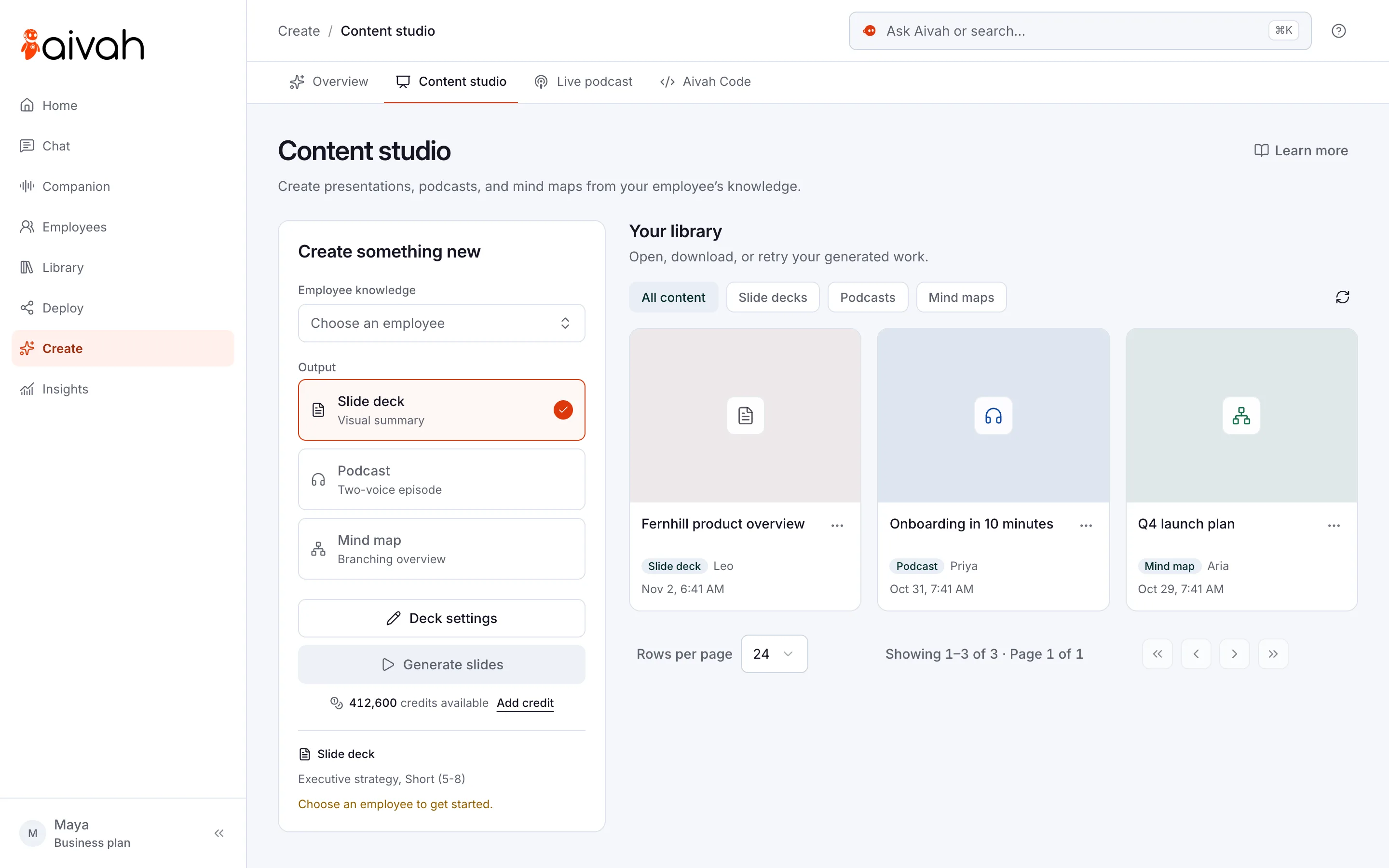
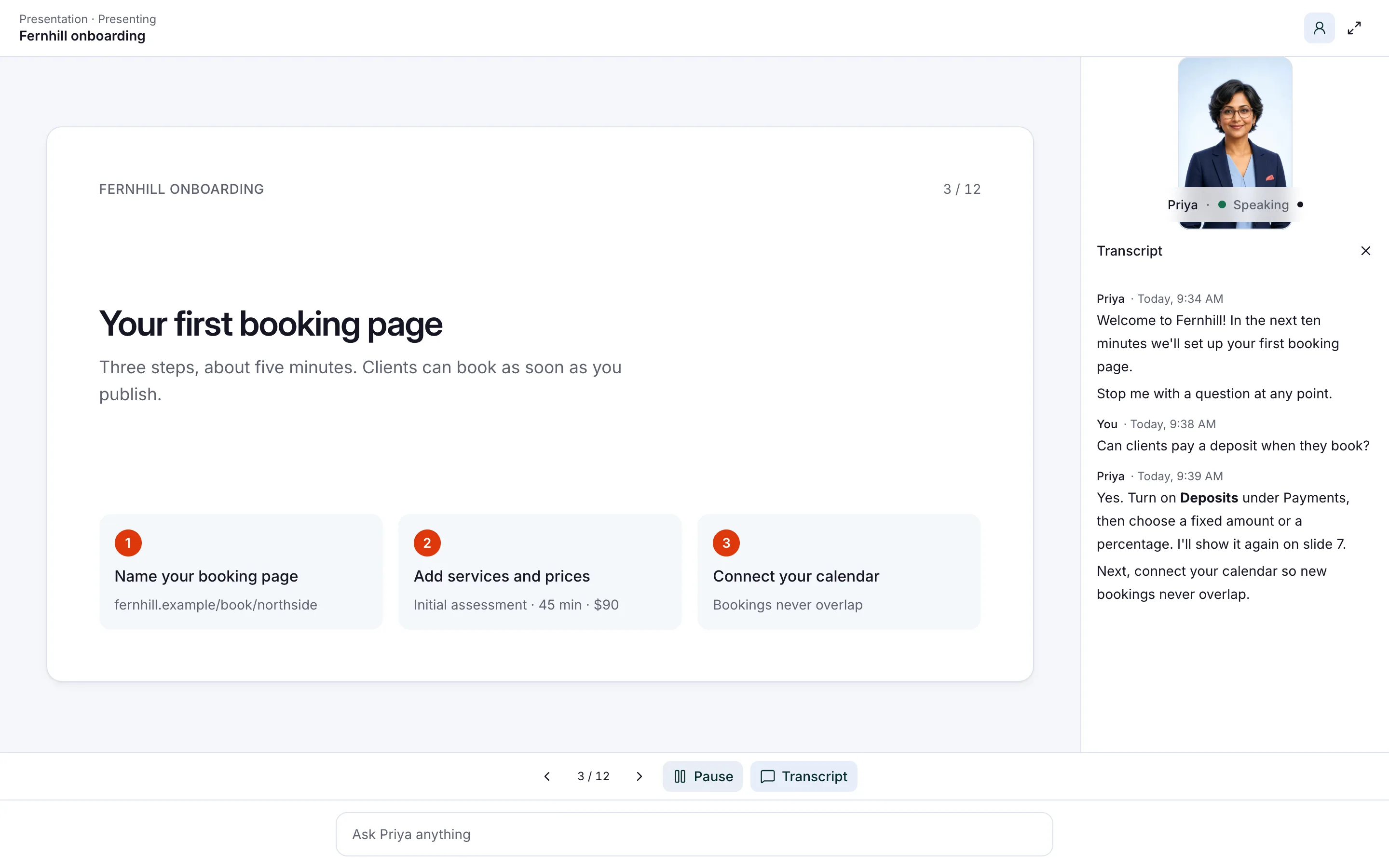
- A presenter teaches from up to 10 PDFs or videos and quizzes learners on each lesson.
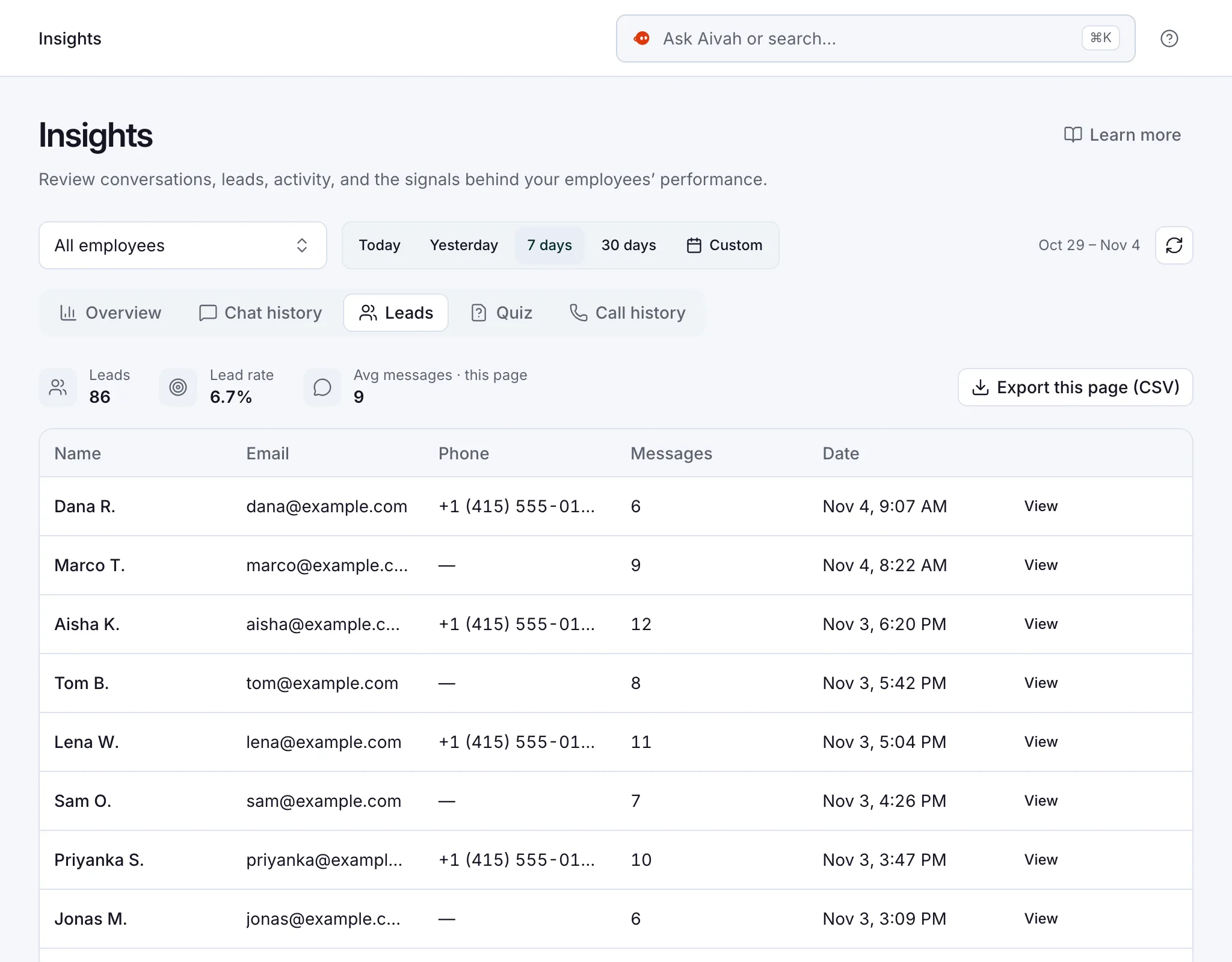
- Enquiries, conversations and quiz results land in Insights, the app’s results area.
- Answering website questions and teaching lessons are two AI employees, not one.
Read related guides
Which jobs should a school hand over first?
Start with work that repeats and already has a written answer. If your office answers it from the prospectus, an AI employee can too. Keep anything that needs judgement with your staff.
- Course questions: start dates, length, fees, entry requirements and what to bring.
- Enrolment enquiries: the name, email and phone, plus your own questions, such as which course.
- Visit and open-day requests: it takes the request, and your office confirms the time.
- Staff induction: one short lesson every new starter takes, with a quiz at the end.
- Revision material: a slide deck, a podcast or a mind map made from a course guide.
- Online classes: it joins a Zoom, Google Meet, Microsoft Teams or Webex class once the host lets it in. It answers from its documents.
- After-hours calls: from the Starter plan, it answers incoming calls on your own number and takes messages. Your number runs on Twilio, a phone service.
AI employees for education and training.
Example jobs, an example day and the limits to know, all in one place.
See it for your industryHow do you set it up for enrolment questions?
Give it an afternoon. These six steps use the Front desk role template, one of the ready-made roles you can hire from.
- Hire an AI employee from the Front desk template. Name it after the job, such as “Admissions help”.
- Add your course guide, term dates, fees and policies on its Knowledge tab. Use only the current version of each.
- Write its instructions. Answer only from these documents, never promise a place or a discount, and share the office email for the rest.
- Test it in Chat with ten real questions from last term’s inbox. Include two it shouldn’t answer.
- Add it to your website as a chat bubble, with a short lead form for name, email and phone. Putting it on your website starts on Hobby, at $10 a month.
- Each week, read Insights → Leads and Chat history. Add any answer it was missing.
Read related guides
How do you turn course material into lessons?
Hire a second AI employee and turn on Presenter when you hire. Add up to 10 PDFs or videos in teaching order: PDFs up to 50 MB, videos up to 100 MB. Learners open a link or a page on your site, and the presenter teaches with a face and a voice.
Learners can stop it at any point to ask a question. It answers from the lesson, carries on and quizzes learners on each lesson. In Insights → Quiz, you see each attempt with the score and the answers chosen.
Brookside Coding School, a fictional bootcamp, turned its pre-course setup guide into four lessons. New learners work through them before day one and ask questions as they go. Trainers check the quiz results instead of repeating the setup talk.
The same course guide can become revision material. In Content studio, pick an AI employee and make a slide deck, a two-voice podcast or a mind map from its documents. Each item uses credits when it’s made.
Read related guides
What should schools watch out for?
AI helps most when it has clear limits. England’s Department for Education says AI output needs checking for accuracy, and the professional stays responsible for it. UNESCO’s 2023 guidance asks for data privacy protection and an age limit for using these tools alone.
- Staff make the decisions. Admissions, places, grades, extensions and refunds stay with people.
- Quizzes check understanding. They don’t replace formal assessment or marking.
- Keep pupil records, grades, safeguarding notes and medical details out of its documents. Give it public course information.
- Decide who it’s for. Start with parents, adult learners and staff, and check your policy before pupils use any AI tool alone.
- There’s no built-in link to your learning platform or student records. Share lessons by link or embed them on a page.
- It doesn’t book visits or classes. It takes the request, and your office confirms.
- On calls, it answers from the call prompt you write for that number, not from its documents.
- Both jobs need two AI employees. On a paid plan, that starts with Business, at $300 a month.
Sources
Read related guides
Questions schools ask about AI
Can AI answer admissions questions for a school?
Yes, from the documents you give it, such as term dates, fees, entry requirements and how to apply. It takes the family’s details for your office. Your staff decide on places and offers.
Should pupils use it on their own?
That’s your school’s decision. A careful start is parents, adult learners and staff. Check your own policy and local age rules before pupils use any AI tool alone.
Can it mark work or set grades?
No. Its quizzes show who understood a lesson, with each score in Insights. Teachers and assessors still mark formal work and set grades.
Does it connect to our learning platform?
There’s no built-in link to learning platforms or student record systems. Share a presenter by direct link, or embed it on a course page.
What does it cost to try?
You can start free, with no card: 3 AI employees and 1,000 credits. Credits are what AI employees spend when they chat, talk or create. Putting it on your website starts on Hobby, at $10 a month, and phone answering on Starter, at $99. To publish a presenter and a website AI employee together, the first paid plan with two is Business, at $300 a month.
Where should you start?
Pick the course that fills your inbox. Start free, add its guide and test the AI employee with ten real questions. When the answers are right, put it on that course’s page from the Hobby plan.
Read related guides