
What can AI do for real estate agents?
AI can take the repeat questions off your desk, so your team can sell. An AI employee answers listing questions on your website, takes viewing requests and picks up calls while you’re out. It works only from what you give it, and your team still confirms viewings, gives advice and negotiates.
Take Ashby & Crane, a fictional agency with four negotiators and a lettings desk. On a busy Saturday, all four are out on viewings. The phone rings, and website questions wait until Monday.
Buyers still want a person on their side. NAR’s 2025 survey found 88% of US buyers used a real estate agent or broker to buy their home. Protect the advice and the negotiating, and hand over the tenth question about parking.
- Week 1: your website answers listing questions and takes viewing requests.
- Week 2: your phone line is answered while you’re out, from Starter at $99 a month.
- Week 3: tenants and landlords get answers about deposits, repairs and fees.
- Week 4: new developments get a presenter, and your team gets reminders.
- It takes requests. Your team confirms every viewing and valuation.
Read related guides
Week 1: which website jobs come first?
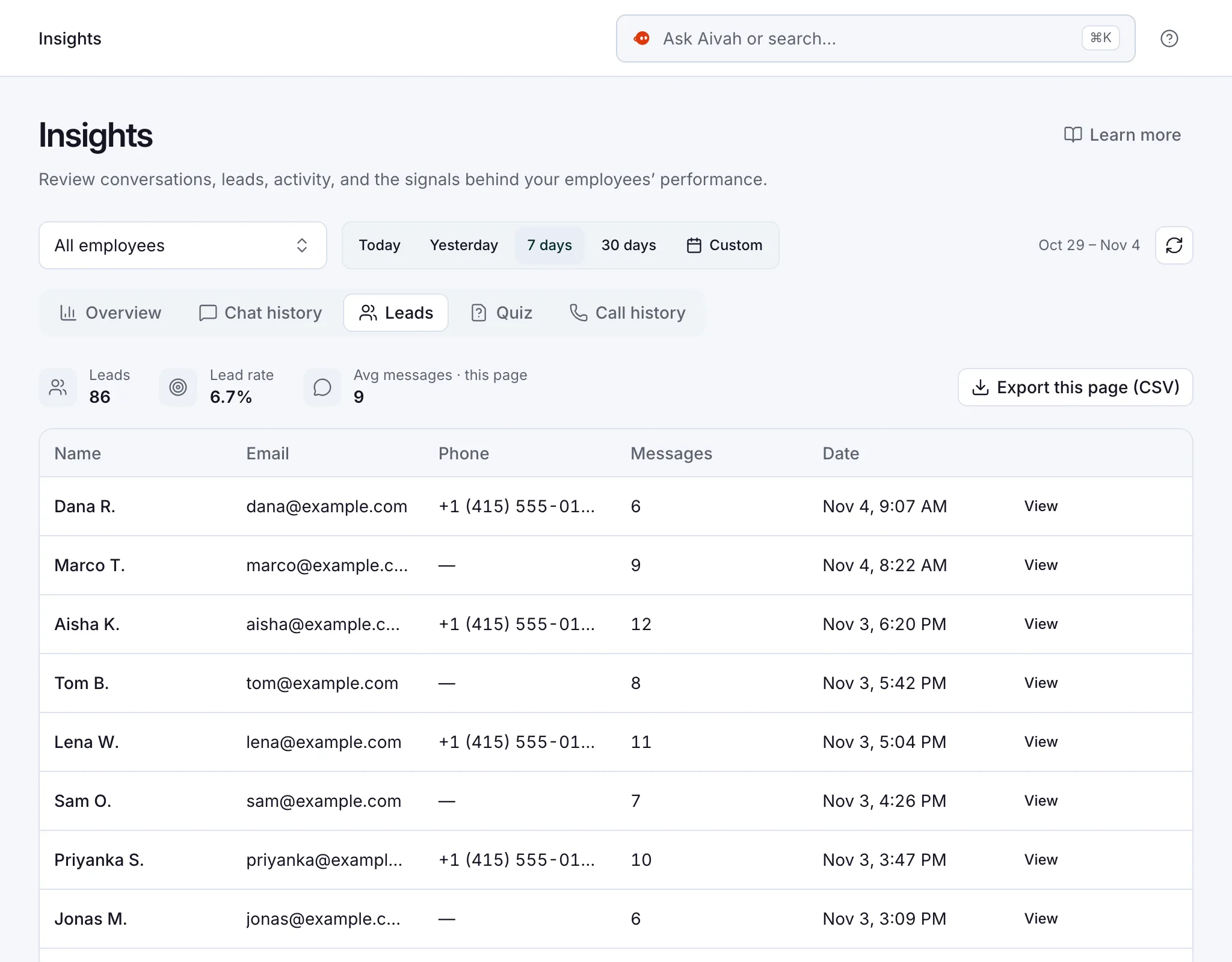
Start with your website: add the chat bubble and turn on the lead form. It asks for a name, email, phone number and your own questions before the chat starts. Each lead lands in Insights, your record of every conversation, where you can export the list.
Speed matters here. A Harvard Business Review study of online leads found most companies don’t respond nearly fast enough. A clear answer tonight and a captured lead give your team a warm start in the morning.
- Job 1, answer listing questions. Price, rooms, parking, pets and fees come from your listing pages or one document per property. It answers at 11pm as well as at noon.
- Job 2, ask the qualifying questions. Buying or renting? Budget? Area? Move date? Add the same questions to your lead form, so every lead arrives sorted.
- Job 3, take viewing requests. It collects the days and times that suit the buyer. Your team confirms the viewing and puts it in the diary.
Read related guides
AI employees for real estate.
Example jobs, an example day and the limits to know, all in one place.
See it for your industryHow do you stop it guessing about sold homes?
One rule prevents most wrong answers. Add it to the instructions: “If a property isn’t in your documents, say so and offer to pass the question on.”
Then keep the listings fresh. The day a property sells or lets, remove its page or document from your AI employee’s Knowledge tab.
Test it once a week. Ask about a home you sold last month, and check it says the home isn’t in its documents.
Week 2: how does it answer calls while you’re on a viewing?
Job 4 is the phone. Aivah answers incoming calls on your own Twilio number. Twilio is the phone service your number runs on, and the number stays in your account.
On a call, it answers from its call prompt, a short brief for the phone line, not from its documents. So put the key facts there: opening hours, fees, the lettings email, the out-of-hours repairs number and who handles what.
Start from the Front desk role and keep it short: “Greet callers as Ashby & Crane. Answer questions about our fees and opening hours. For viewings and valuations, take the name, number, address and a good time to call back.”
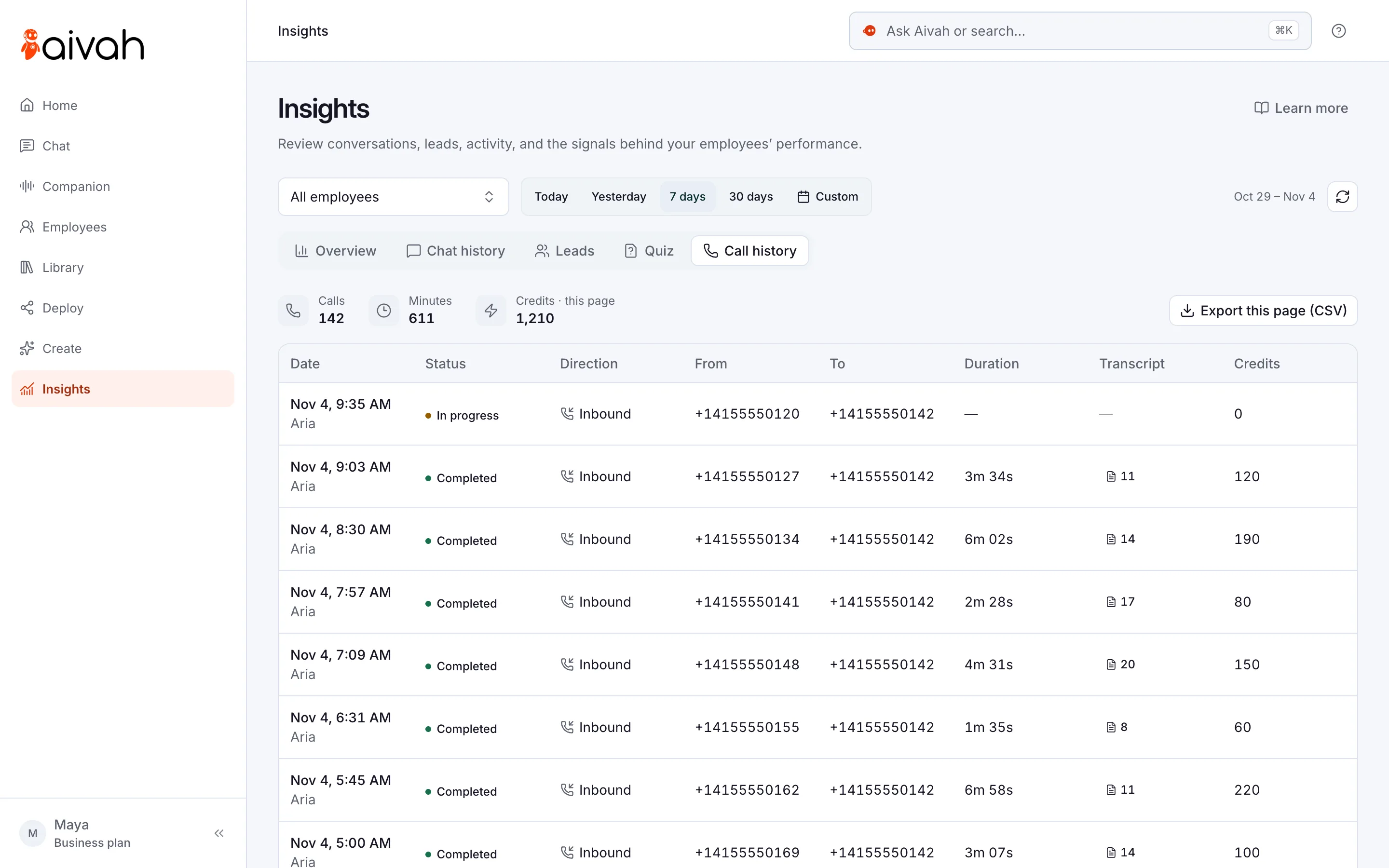
Every call lands in Insights → Call history with a transcript. Phone answering starts on Starter, at $99 a month, and Twilio bills its own call charges.
Read related guides
Week 3: can it answer tenants and landlords too?
Job 5 is lettings. Tenants ask the same things every week: deposits, references, pets, bills and how to report a repair.
Give it your tenant FAQs, your repairs process and your out-of-hours number. When a tenant asks on your website at 10pm about a leak, it explains the process and gives the emergency number. It doesn’t log the repair in your systems, so your team picks it up from Insights in the morning.
Landlords ask about valuations and fees. It explains your fees from your documents and takes the address and a callback time. Your team books the valuation.
Week 4: can it help with new homes and follow-ups?
Job 6 is new developments. Turn the brochure and a site video into lessons with the AI presenter. Buyers stop it to ask about parking or finishes, and it answers from your material.
A presenter is its own AI employee, so this job needs a plan with two, such as Business, at $300 a month. For a buyer abroad, your negotiator can bring an AI employee into a Google Meet, Microsoft Teams, Zoom or Webex call instead.
Job 7 is your own team. Negotiators ask it in Slack for a fee or a policy, and you can message it from your own WhatsApp.
Ask it in Chat for a daily 5pm reminder to call back the day’s viewing requests. The reminder arrives in Slack or on WhatsApp.
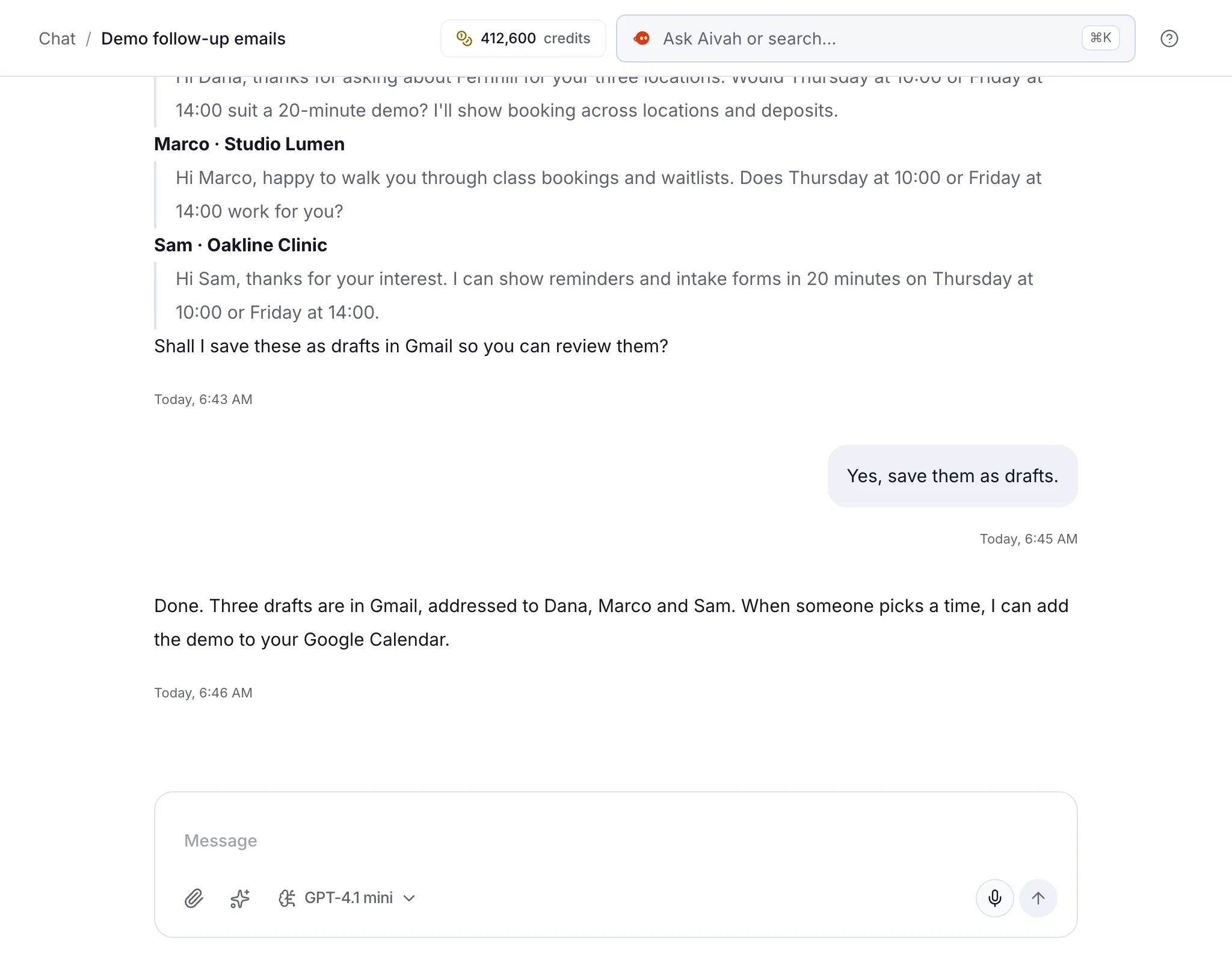
On Starter and up, connect Gmail and ask it to draft follow-up emails after viewings. It saves them as drafts, so you check each one before it goes.
Read related guides
What should agents watch out for?
An AI employee speaks for your agency. Set it up with the same care as a new negotiator.
- It doesn’t book anything. It takes viewing and valuation requests, and your team confirms them.
- It answers incoming calls only. It doesn’t ring buyers back or transfer calls.
- It gives no legal or mortgage advice. Tell it to send those questions to your team or a qualified adviser.
- Hold what it says to the same fair housing standard as your adverts. In the US, the Fair Housing Act bars discrimination because of race, colour, religion, sex, national origin, familial status or disability. Tell it never to describe who lives in an area, or say an area suits a certain kind of buyer. Check your local rules with your adviser.
- There’s no built-in link to property portals or your CRM. Export leads as a CSV file, or connect apps you already use on Starter and up.
Questions agents ask about AI
Can it book viewings into my diary?
No. It takes viewing requests with the buyer’s name, contact details and preferred times. Your team confirms the viewing and adds it to the diary.
Can it answer my agency’s phone?
Yes. It answers incoming calls on your own Twilio number, the phone service your number runs on. It answers from the call prompt you write and takes messages. Phone answering starts on Starter, at $99 a month, and Twilio bills its own call charges.
Does it connect to property portals or my CRM?
There’s no built-in link to property portals. Leads land in Insights, and you can export them as a CSV file for your CRM. On Starter and up, you can also connect apps such as Gmail, Google Calendar and Google Sheets.
Will it give mortgage or legal advice?
No. It answers only from the documents and instructions you give it. Tell it to send mortgage and legal questions to your team or a qualified adviser.
What does it cost?
You can start free, with no card, with 3 AI employees and 1,000 credits to try it in Chat. Credits are what you spend when your AI employee chats, talks or creates. Your website starts on Hobby, at $10 a month, and phone answering on Starter, at $99.
Hand over your first job this week
Start free, add three of your current listings and ask it the questions buyers ask you every day.
Read related guides