
How can you answer customer enquiries after hours without hiring?
Give an AI employee your FAQs, prices and policies, then put it on your website and phone line. At night, it answers the common questions, takes each customer’s details and says when your team will reply. In the morning, your team works through a list of leads, chats and calls instead of a full inbox.
Take Oakline Kitchens, a fictional kitchen fitter whose showroom closes at 5 pm. Its customers often plan a new kitchen in the evening, after work. At 9:40 pm, a visitor asks whether Oakline fits worktops on their own.
The AI employee answers from Oakline’s price list and asks what she needs. She shared her name, email and phone in the lead form before the chat. So the showroom team calls her by noon the next day.
- It answers the questions your documents already cover, at any hour.
- A lead form collects name, email and phone before the chat starts.
- On the phone, it answers incoming calls on your own Twilio number and takes messages.
- Your team still confirms bookings, sends quotes and returns calls.
- Website chat starts on Hobby, at $10 a month. Phone answering starts on Starter, at $99 a month.
Read related guides
What do customers ask about after hours?
Read last month’s evening emails, voicemails and contact forms. Most fall into three groups. Each group needs a different answer at night.
- Questions your documents answer: opening hours, prices, the areas you cover, delivery times and what a service includes. Your AI employee answers these in full.
- Requests that need a person: quotes, bookings, changes and complaints. It takes the details and says when your team will reply.
- Urgent problems, such as a burst pipe or a guest locked out. It gives the emergency number or steps you wrote, then takes the details.
Put an AI employee on your website.
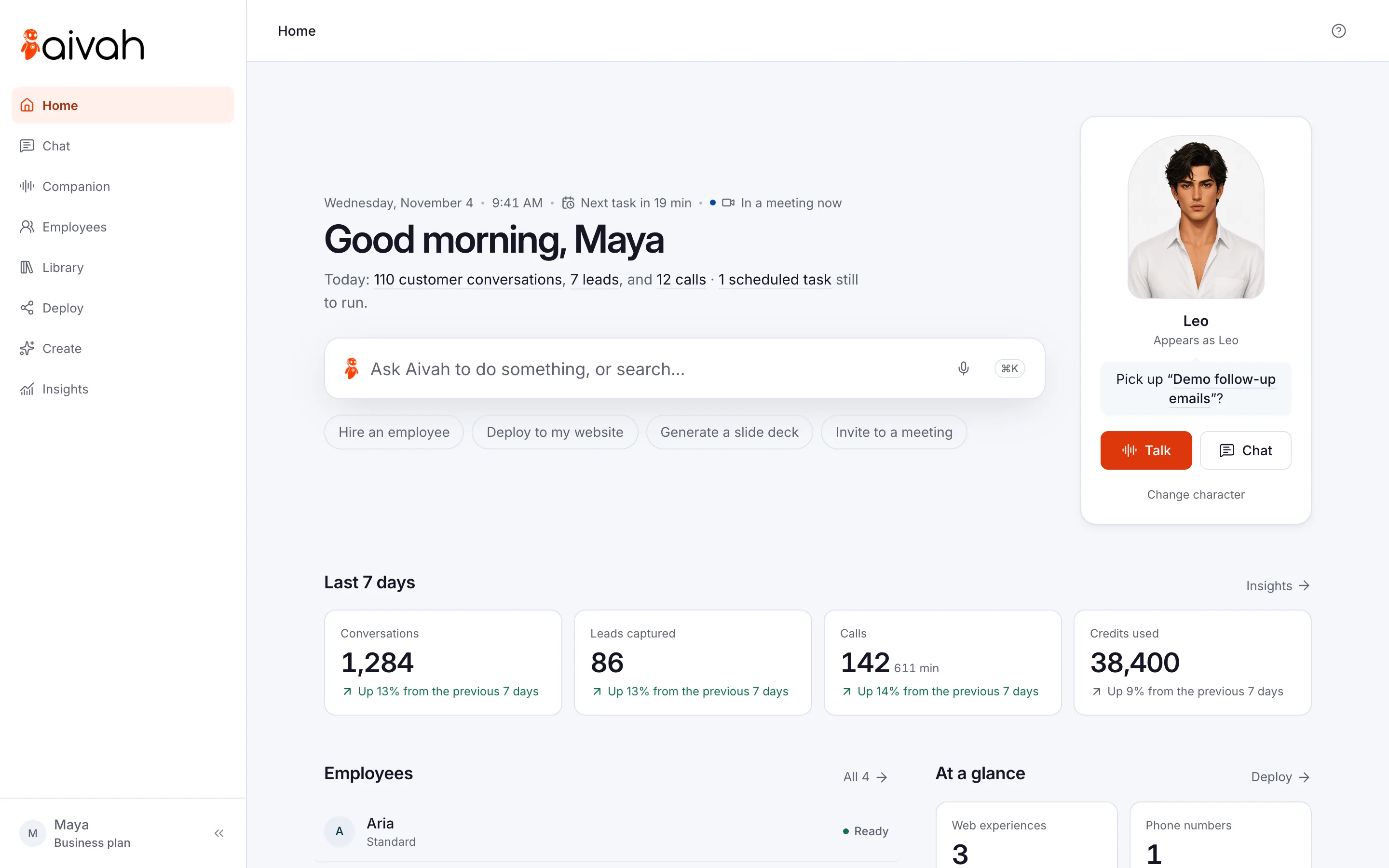
Add it as a chat bubble, an embedded page or a link. Visitors can type, talk or see its face.
See it on a websiteWhat are your options for after-hours cover?
There are four common ways to cover evenings and weekends. Each one trades cost against what the customer gets that night.
You can mix them. For example, keep one person on call for true emergencies and let an AI employee handle the rest.
- Voicemail and an auto-reply email: free, but nobody answers until morning. The customer may try another business in the meantime.
- A live answering service: people answer your phone and take messages. Ruby, for example, lists 50 minutes a month for $250 and 100 minutes for $395.
- Hiring night staff: covering 6 pm to 8 am every night is 98 hours a week. At the US median wage for receptionists ($18.27 an hour in May 2025), that’s about $1,790 a week in wages alone.
- An AI employee: it answers the questions your documents cover, instead of only taking a message. Its work uses credits from your plan, and Insights shows the credits it used.
How do you set up after-hours answers on your website?
Start with your website. It costs the least to try, and you can test it the same evening.
First, write down your 20 most common questions with the answer you’d give. That list becomes your AI employee’s starting knowledge. Later, it becomes your test sheet.
- Hire an AI employee from the Front desk or Resolution specialist template. Add your FAQ, price list and policies as knowledge.
- In its instructions, say what to do when it can’t answer: take the details and say when your team replies. Name a time you can keep, such as “by noon on the next working day”.
- Add a lead form that asks for name, email and phone. Write consent text that says how you’ll use them.
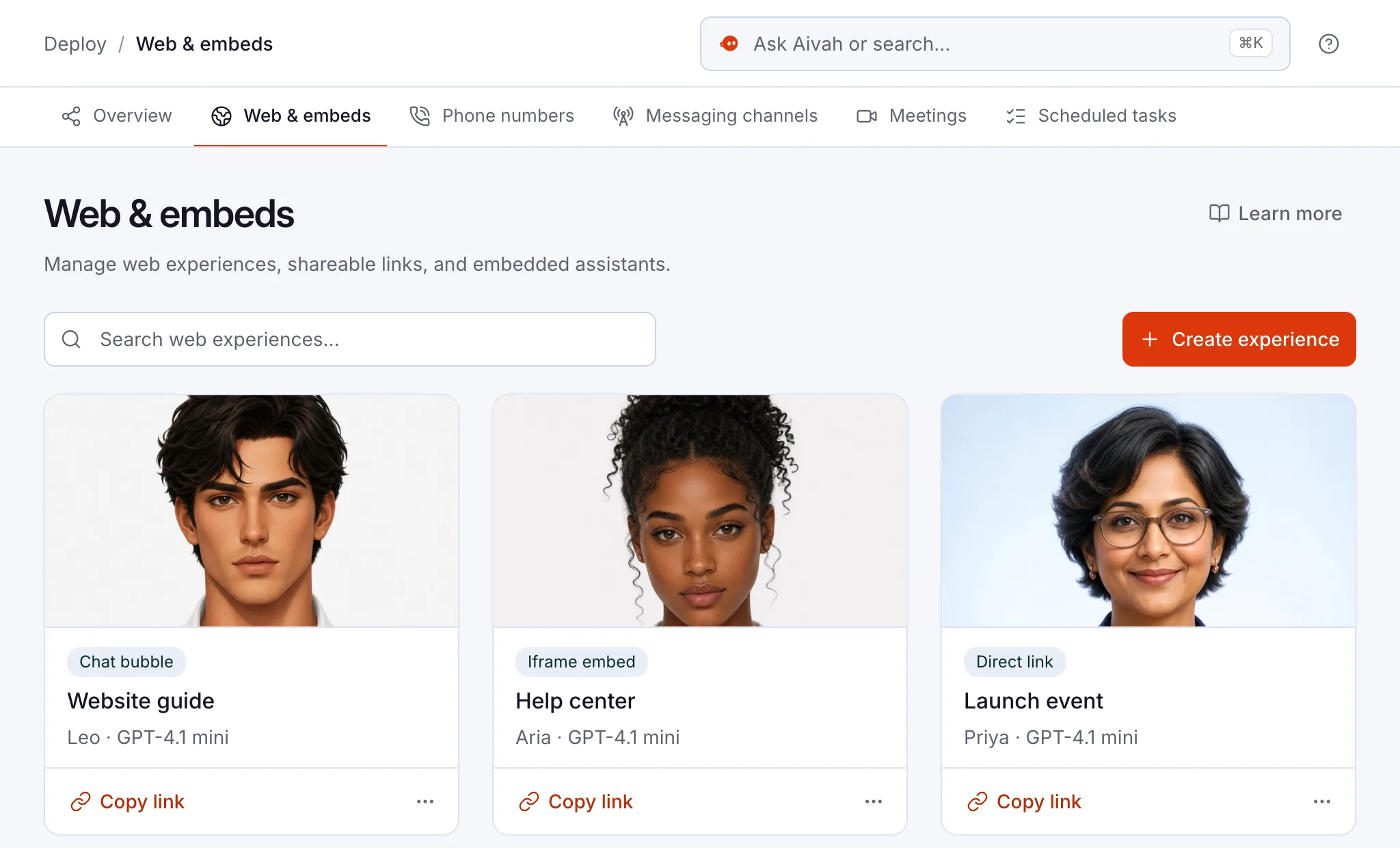
- Create a web experience (your employee, packaged for your website) with Chat bubble as the link type. Publish it and paste the code into your site’s footer.
- Open your site on your phone. Ask five real questions, plus one that needs a person.
Read related guides
How do you cover the phone at night?
Calls need the Starter plan, at $99 a month, and a phone number with Twilio. Twilio is the phone service your number runs on. The number stays in your Twilio account, and Twilio bills its own call charges.
On a call, your AI employee answers from its call prompt, not from the documents you added. The call prompt is the short brief for that number: who it is, what it knows and what to ask. So put your opening hours, prices and callback promise in the call prompt too.
Want only evening calls at first? The Help Center suggests starting with after-hours calls, then adding daytime overflow. Ask your phone provider whether it can forward calls to your Twilio number outside opening hours.
Oakline uses it for evening calls only. Its call prompt says to greet callers like this: “Thanks for calling Oakline Kitchens, this is Oakline’s AI employee. The showroom is closed, but I can answer questions on prices and fitting, or take a message.”
Read related guides
What should your team do the next morning?
An AI employee only saves time if someone picks up where it left off. Give one person a short morning routine of 15 minutes or so.
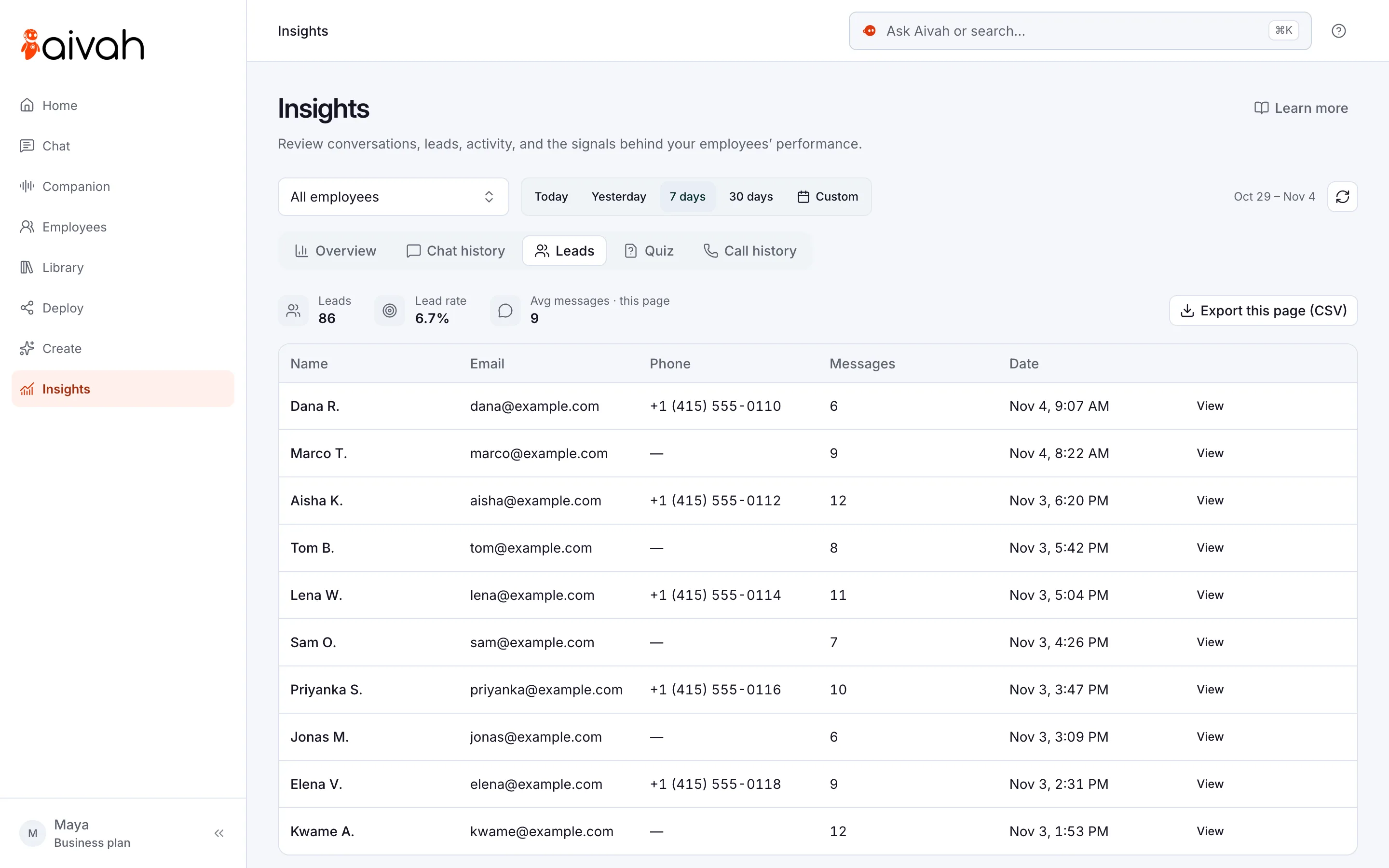
- Open Insights → Leads, choose yesterday and contact each lead. You can export the list as a CSV file.
- Open Call history and return every call that left a message. Read the transcript first, where there is one.
- On the Insights overview, read the chats in the Review queue first. It lists the conversations worth a closer look.
- Add any answer it didn’t have to its knowledge. Then ask the question again to check.
- Want a nudge? Ask your employee in Chat for a reminder every weekday at 8:30. It arrives in Slack or WhatsApp.
Read related guides
What should you watch out for at night?
An AI employee is only as good as what you give it. If a price or policy isn’t in its knowledge or call prompt, it shouldn’t guess. Tell it to say so and take the details.
- Promise only what your team can keep. “We’ll call you by noon” beats “We’ll be in touch soon”, but only if someone does.
- Give urgent cases a route to a person. Write the emergency number and steps into its instructions and call prompt.
- It answers incoming calls only. It won’t ring anyone back, transfer a call or take a payment.
- Slack and WhatsApp are for your team, not your customers. Customers reach it on your website and your phone line.
- Aivah connects one phone number per account. Choose the number your customers call most.
- Say it’s an AI employee. Put it in the greeting, so nobody feels misled.
Questions people ask about after-hours AI
Will it answer on weekends and holidays?
Yes. It answers whenever someone writes or calls, at any hour, as long as your plan has credits left. Your team picks up the requests when it’s back.
Can it book appointments at night?
It takes the request and the times that suit the customer. Your team confirms the booking when it opens. On calls, it takes messages and requests only.
What if a customer has an emergency?
Write your emergency number and steps into its instructions and call prompt. It shares them and takes the details. It isn’t an emergency service, so keep a person on call if you offer one.
Do I need a new phone number?
You need a number in your own Twilio account. If your main line is with another provider, ask whether it can forward calls to that number outside opening hours.
How much does it cost?
You can start free, with no card. Website chat starts on Hobby, at $10 a month. Phone answering starts on Starter, at $99 a month, and Twilio bills its own call charges.
Will customers know they’re talking to AI?
They should. Give your AI employee a name and say in its greeting that it’s an AI employee. Then tell visitors when a person will follow up.
How do you start tonight?
Start free, with no card. Hire your AI employee, add your 20 questions and test it in Chat. Move to Hobby when you’re ready to put it on your website.
Read related guides