
How to prepare trusted knowledge for an AI employee
Prepare current, owned sources and clear instructions, then test the employee against source facts and unanswered questions before using its answers with customers.
FIELD GUIDE
Start with approved sources.
Useful knowledge starts with material your team can maintain: policies, product information, help articles, and internal guidance. Give each source an owner and a review date. Remove duplicate, conflicting, or expired versions before adding them to an employee.
A completed upload or setup form confirms a preparation step. Answer quality still needs a direct test against the source.
Organise knowledge around real questions.
Use descriptive headings, short sections, explicit definitions, and complete answers. State effective dates, regional differences, exceptions, and the cases that need a person. Keep unnecessary personal information and credentials out of source material.
Prepare a small evaluation set alongside the sources: several facts the employee should answer, an exception it should explain, and a question the material does not answer. Record the expected answer or handoff for each.
Prepare the employee.
Open Employees → Hire employee and choose a starting point under Templates, Custom, or Local knowledge. Review the instructions, model, selected capabilities, and document controls before hiring. Give the employee a clear job and state what it should do when the sources are incomplete.
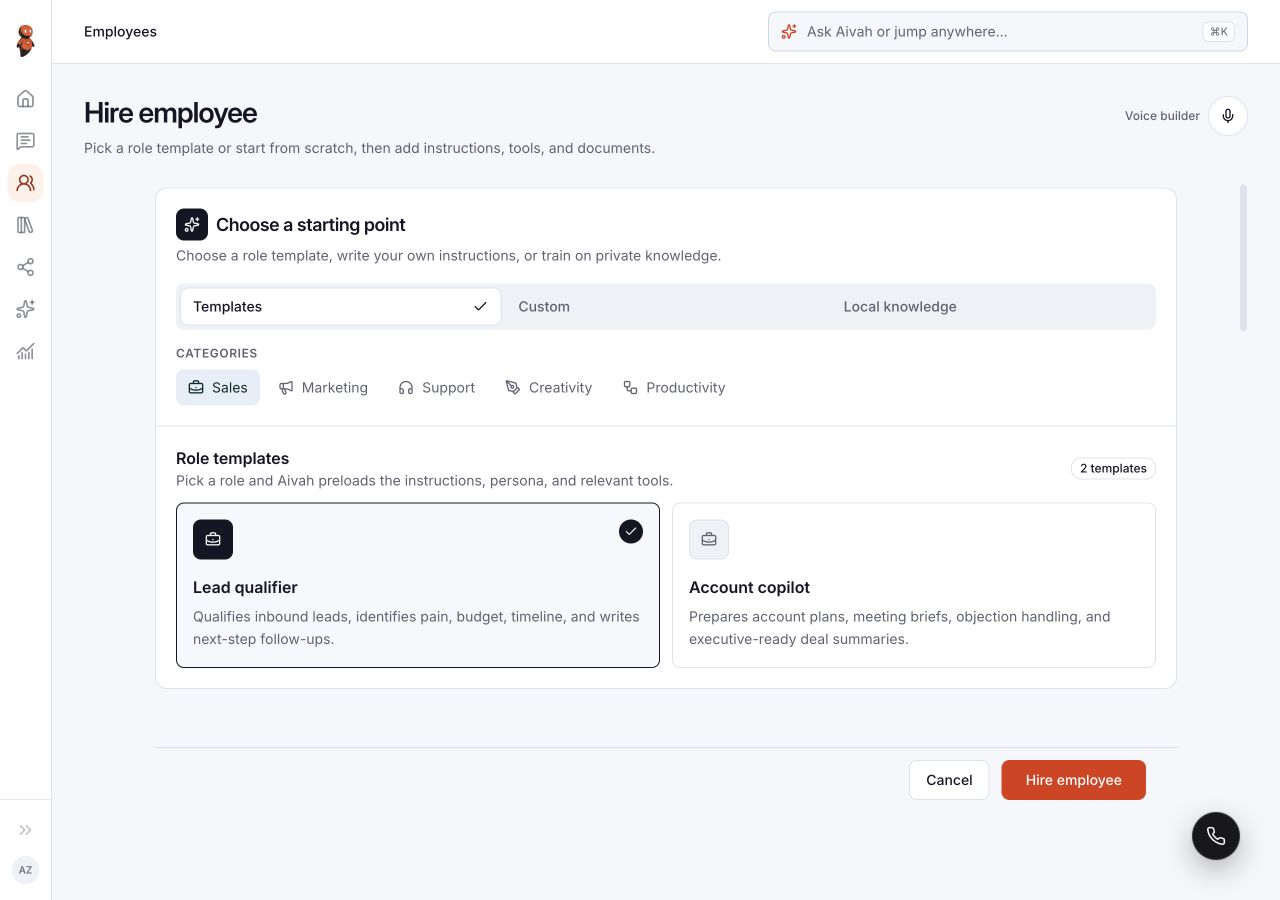
Use the current knowledge setup guide for document and website-source controls. Check any displayed processing state before testing. A file attached to a Chat conversation and a source configured on an employee serve different setup paths; confirm which one your test uses.
Check answers against the source.
Open Chat and select the intended employee. Ask the evaluation questions one at a time. Compare specific names, dates, amounts, restrictions, and exceptions with the approved source.
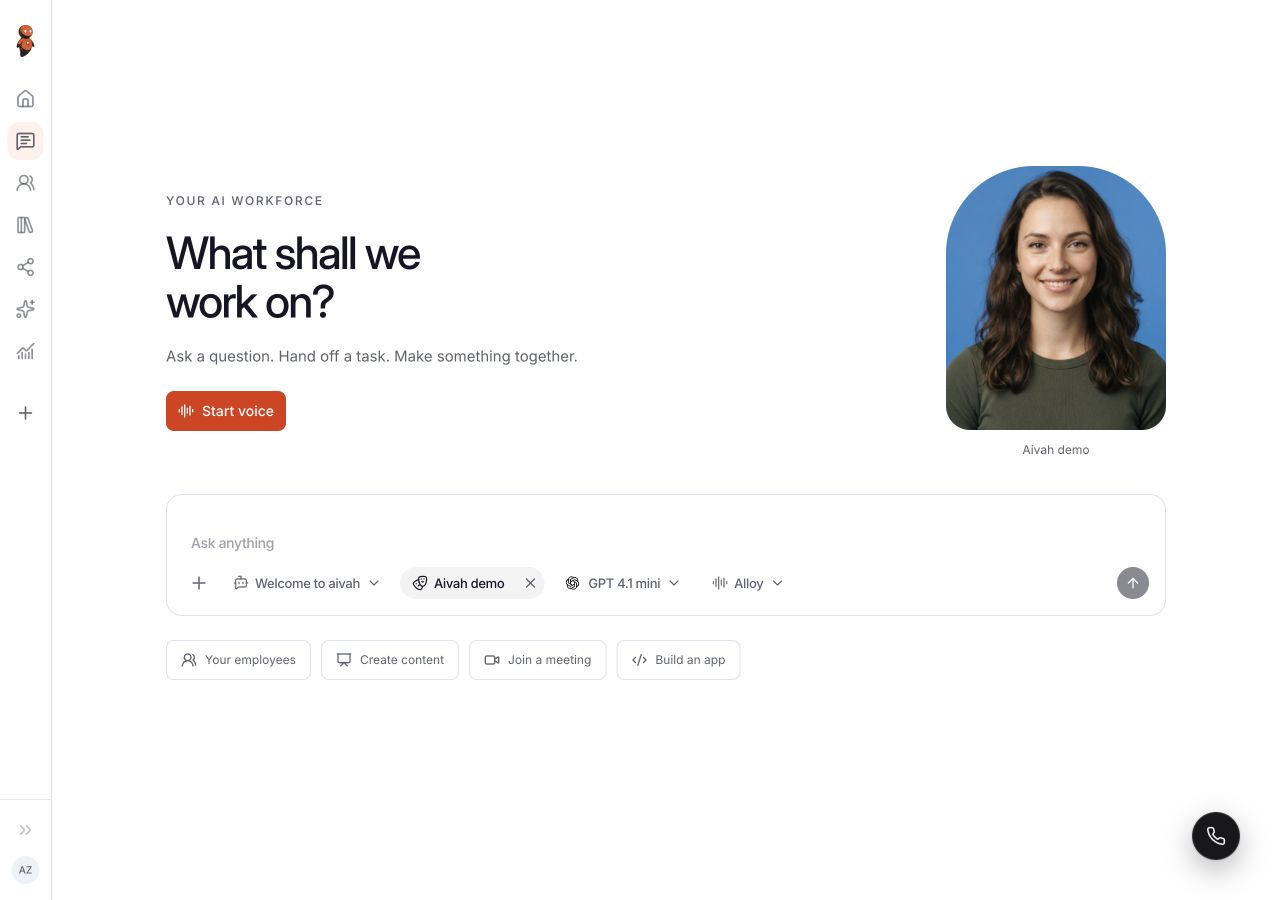
- Check that known facts match the source rather than a plausible guess.
- Ask a question the sources cannot answer and review how the employee handles the gap.
- Test the instructions for confirmation and human help in the destination you plan to use.
- Correct the source or instructions, then repeat the affected questions.
Keep the material current.
Review unanswered questions, corrections, and handoffs regularly. Update the approved material when policy changes and repeat the relevant checks. Keep a record of which source version and employee settings produced the result.
A reliable workflow depends on the material, the instructions, and the observed answers together. Continue with Manage, test, and improve an AI employee before making the experience available to customers.