






Messaging apps
Your chat apps have a new contact.
Your AI employee replies in Slack, WhatsApp, iMessage and your own Telegram bot.


Works in
Yes, Aivah's on that app too.
Slack for your team. WhatsApp and iMessage for you. Telegram for your customers.
 Slack
 WhatsApp
 iMessage
 Telegram
Example conversations
Watch it work in each app.
Pick an app and watch an example.
Example conversation · fictional business
Slack#workshop · thread Aria · AI employee
- Sam · teammate: @aivah-bot what's in the Spring service? A customer's asking at the counter.
- Aria, AI employee: From your service menu, the Spring service covers:
- Gears and brakes adjusted
- Chain cleaned and oiled
- Wheels trued, tyres checked
- Sam · teammate: And how long does it take?
- Aria, AI employee: Two working days, and any new parts are quoted first.
WhatsAppFrom your numberAria · AI employee- You: Call Jonas Weber and confirm his bike pickup for Thursday at 10.
- Aria, AI employee: Calling Jonas now, from your line.
- Call with Jonas Weber, Ended, 1:42.
- Aria, AI employee: Done. Jonas confirmed Thursday at 10:00. The transcript is in Call history.
- You: Perfect, thanks.
iMessageFrom your numberAria · AI employee- You: What's our warranty on e-bike batteries again?
- Aria, AI employee: Two years or 500 charge cycles, whichever comes first. That's from your warranty terms.
- You: Thanks. Remind me Friday at 4 to order brake pads.
- Aria, AI employee: Done. Reminder set for Friday at 16:00. It's in Scheduled tasks.
Telegram@CopperlineBot · 1:1 chatAria · AI employee- Customer: Hi! Are you open Sunday?
- Aria, AI employee: Yes, the shop is open Sunday from 10:00 to 16:00. The workshop is closed on Sundays.
- Customer: Can I drop my bike off for a service on Saturday, then?
- Aria, AI employee: Yes. Saturday drop-offs are 9:00 to 12:00, with no appointment needed.
What it does
Different app. Same work ethic.
Pick who answers.
Connect the same AI employee to every app, or a different one to each.
Answers from your material.
It replies from the knowledge and instructions you've given it.
Reports on schedule.
Scheduled tasks can send their results to Slack or WhatsApp.
Calls when you ask.
Ask on WhatsApp, Slack or Telegram, and it makes the call for you.
Slack
Your team asks in Slack.
One more teammate in the channel, and it doesn't mind an @mention.
Answers in the thread.
@mention it in a channel you've allowed, and it replies in the thread.
DMs from one member.
Direct messages come only from the Slack member you register.
Set up from a manifest.
Create the Slack app from Aivah's manifest, then paste its bot token and signing secret.
WhatsApp, just for you.
Message it from your phone, like any other contact.
Send files and voice notes.
It reads the images, videos, documents and voice notes you send.
Connect your number.
Choose the AI employee, enter your number, then message Aivah's WhatsApp number.
iMessage
Prefer iMessage? Text it there.
Just you, one to one.
Only your registered number gets replies, and group chats are ignored.
Scan and say hello.
Scan the QR code, or send Hello to the number shown.
Telegram
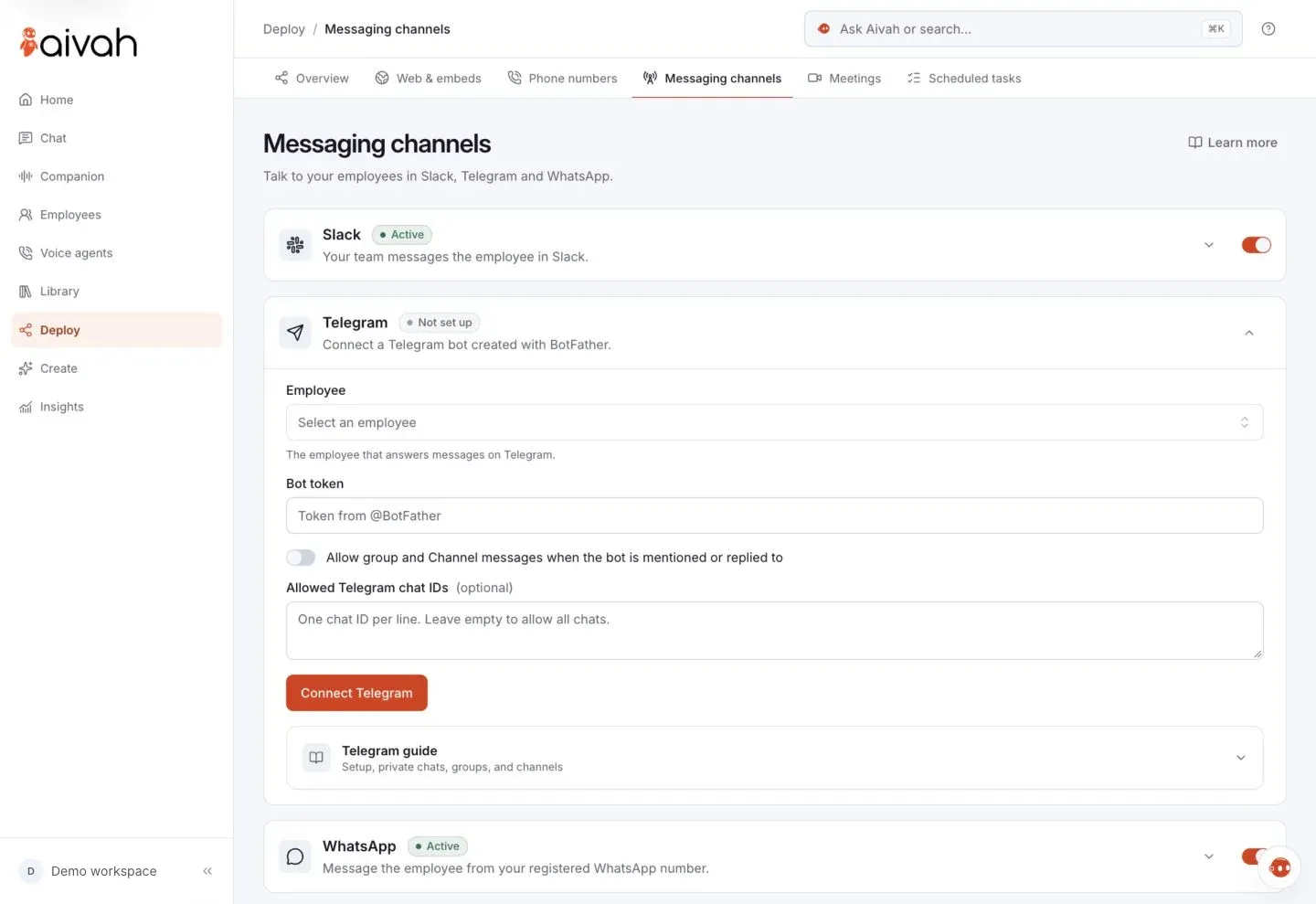
Customers chat with your own bot.
Unlike WhatsApp and iMessage, it's open to customers and whole communities.
- Anyone who presses Start in your bot can chat with your AI employee.
- Or list the Telegram chat IDs allowed, and only those chats get replies.
- In groups, @mention or reply to it; in channels, make it an admin.
Messaging apps start on Individual, at $20 a month. Voice calls, your phone line and voice agents start on Business, at $100 a month. Compare plans
Questions
Setting up each app.
What do I need to set them up?
Permission to add an app to your Slack workspace, and a Telegram account to create your bot. WhatsApp and iMessage need only the phone number you'll text from.
Who pays when my team uses Slack?
You do. Messages use usage credits, and Slack messages from anyone on your team are charged to your account.
Why isn't it replying?
Check the app is switched on. On WhatsApp or iMessage, text from the number you saved, with its country code. In Slack, invite @aivah-bot to the channel, then @mention it.
Can I switch an app off?
Yes. Each app has its own switch, so you can pause one without touching the others, or disconnect it.










Go on. Send the first message.
Connect one app today, and add the others when you're ready.
Free to start · No card required