





AI presenter
Presentations that answer back.
An AI employee presents your PDFs and videos face to face, takes questions and quizzes your audience.


Who it's for
For customers and your team.
How it works
From your files to a presentation.
Business knowledge
Add- yourcompany.com/servicesWeb pageReady
- Price list.pdfPDFReady
- Product walkthrough.mp4VideoIndexing
Documents, web pages, audio and video. Changes apply right away.
01Upload.
Add your PDFs and videos. Each one becomes a narrated lesson.
Face and voice



 Warm, calmOr clone a voice from 10 seconds of speech02
Rehearse.
Pick its face and voice, then run through it yourself in the app.
Share
- Direct linkchat.aivah.ai/chat/YOUR_EMBED_IDCopy
- Embed on your page<iframe src="https://chat.aivah.ai/…">Copy
03Share.
Send your audience a link, or embed it on your own page.
Insights
- 23:42Website conversationLead saved
- 07:05Call answeredTranscript
- 09:30Quiz completedScored
- 11:12Friction flaggedReview queue
Every visitor conversation gets an AI read of sentiment, friction and confidence.
04Review.
Saved quiz scores land in Insights, answer by answer, ready to export.
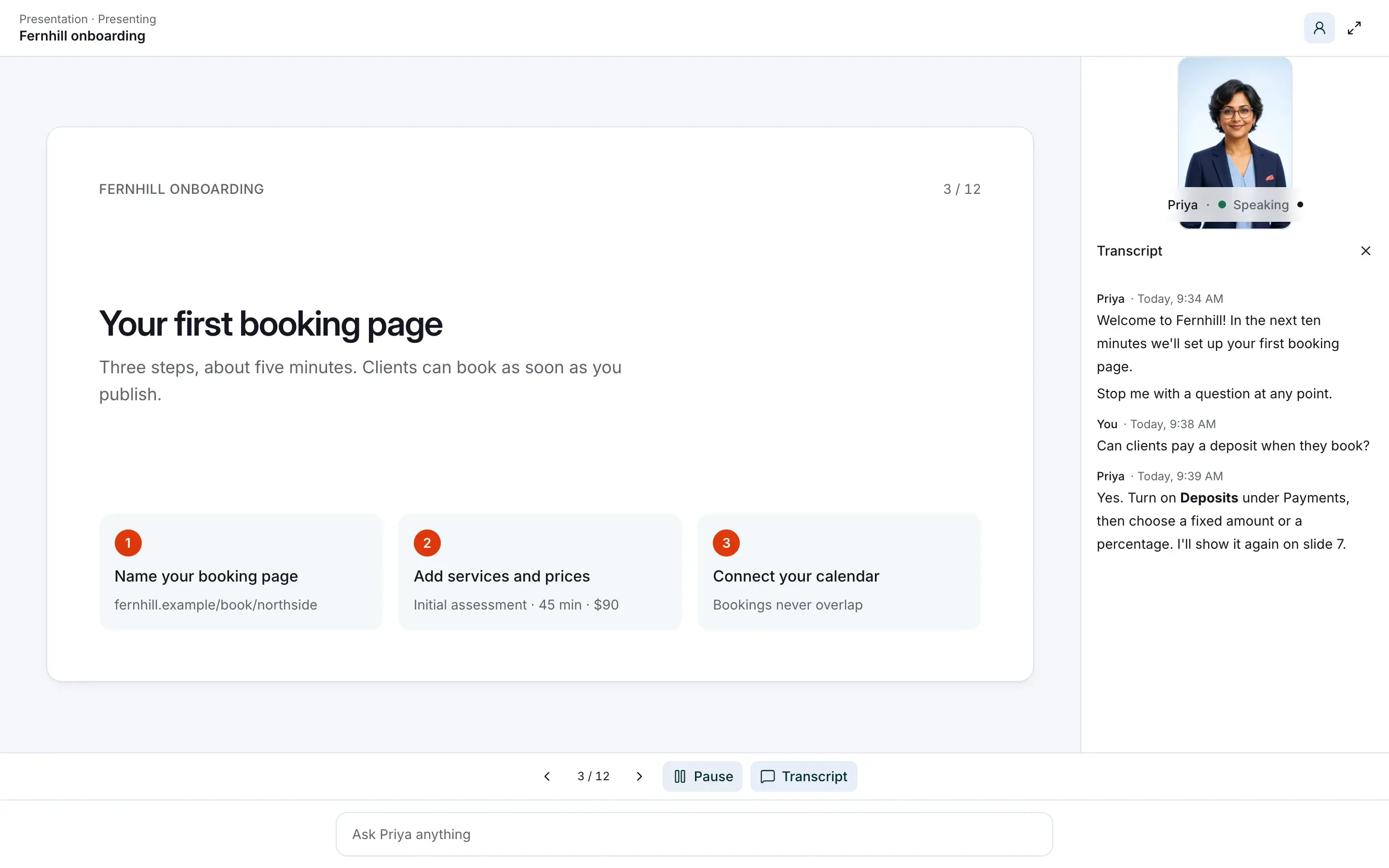
Mid-presentation
Interrupt it with a question.
It pauses, answers from the slide it's on, then picks up where it stopped.
- Your audience can speak or type their question.
- Say “hold on” to keep it paused, and “keep going” to carry on.
- Videos work the same way.
For your audience
Built for the person watching.
Resume later.
Their place is saved on their device for 30 days, down to the slide.
Progress at a glance.
Viewers see which lessons they've finished and how each quiz went.
Captions and a transcript.
Turn on captions, or search, copy and download the transcript.
Every slide in a grid.
Jump to any slide, then have it present from there.
Quizzes that teach.
A missed question links back to the slide that covers it.
Keyboard shortcuts.
Run it from the keyboard. The player lists every shortcut.
Questions
Files, quizzes and your audience.
Which files can it present?
PDFs up to 50 MB and videos up to 100 MB, up to 10 at a time. Save PowerPoint decks as PDFs first.
Who writes the quiz?
Aivah builds a multiple-choice quiz for each lesson. Take it yourself in the app first: practice scores aren't saved.
Does the audience need an account?
No. Anyone with the link, or on your page, can watch. After a quiz, they can save their score with their name and email, or skip.
Can it run as a chat bubble?
No. Slides need more room than a chat bubble gives.
Can I shape how it presents?
Yes. Write its instructions and persona, and keep the teaching skills it starts with, such as a comprehension check.
Can an existing employee become a presenter?
No. Presenter is switched on when you hire and can't be changed later, so hire a new employee for your presentations.










Give your presentations a face.
Turn the deck you already have into a session people can question.
Free to start · No card required