






Voice agents
Got a call list? Aivah's on it.
Voice agents call the people on your list from your own number, and tell you how each call went.


Two jobs
Two phone jobs, set up apart.
Separate setups and separate numbers. Pick one, or run both.
Call your list.
Voice agents run calling campaigns and score each call against your goal.
- Upload your list as a CSV.
- Call from numbers you connect by SIP.
- Outbound only: these numbers never answer.
Answer your line.
The AI receptionist picks up when customers call your Twilio number.
- Its own setup, voice and call prompt.
- Takes a message when callers need you.
- Keeps transcripts, not recordings.
Voice calls, your phone line and voice agents start on Business, at $100 a month.
Compare plansCalling at volume, or need Enterprise?
Email hi@aivah.aiExample campaign
Each call, recorded and scored.
Every campaign call is recorded and transcribed, then scored against the goal you set.
Example campaign in Aivah's Voice agents, for Tallyroom, a fictional software business. The campaign Trial follow-up calls three trial sign-ups from the contact list trial-signups, two at a time, with the voice agent Fresh lead qualification.
- Two calls connect. One contact doesn't answer and is retried 15 minutes later, and the second attempt connects.
- The opened call is recorded and transcribed. The agent says it is an AI assistant and that the call may be recorded, asks how many people would use Tallyroom (about eight) and when they want to start (next month), then says goodbye. Result: Goal met.
- Campaign results: 2 recommended for review, 1 does not meet the configured criteria, 3 of 3 contacts assessed.

Campaigns
How a campaign runs.
Everything lives in Voice agents, in your Aivah workspace.
01
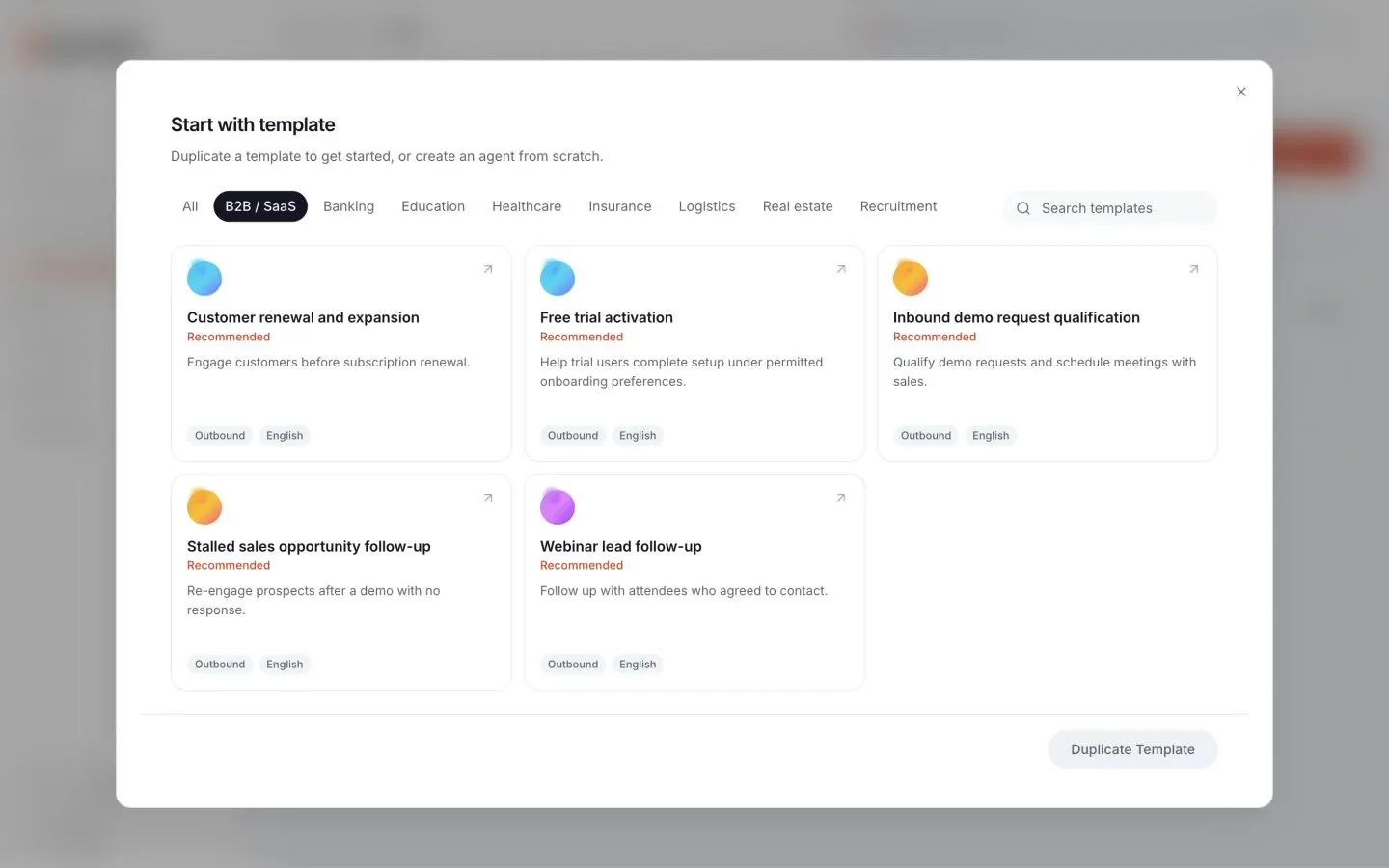
Create a voice agent.
Start from a template or from scratch. Describe the call's purpose and pick a voice; Aivah writes the call prompt.
02
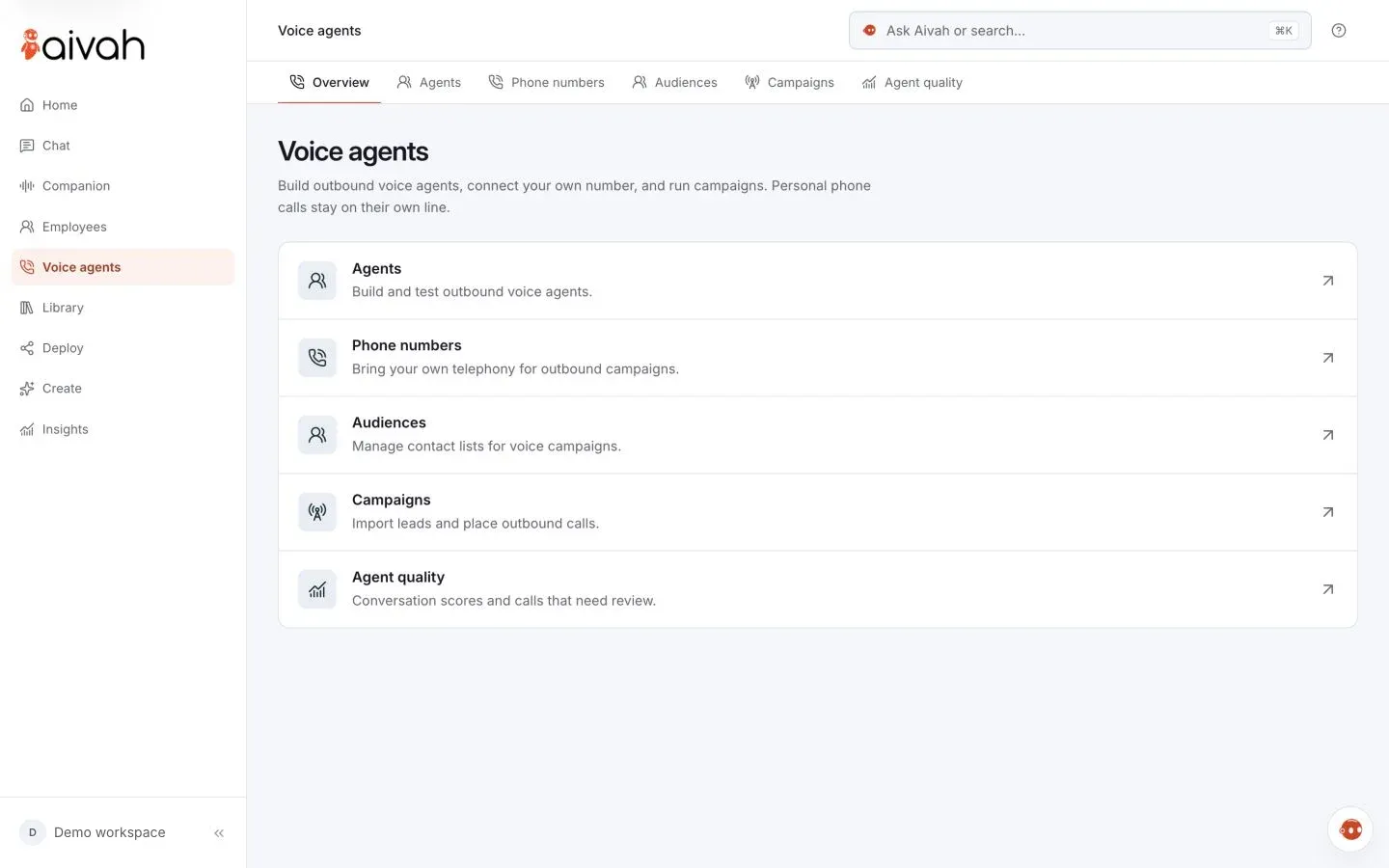
Connect your number.
Add the number your voice agent calls from under Phone numbers, next to your agents, audiences and campaigns.
03
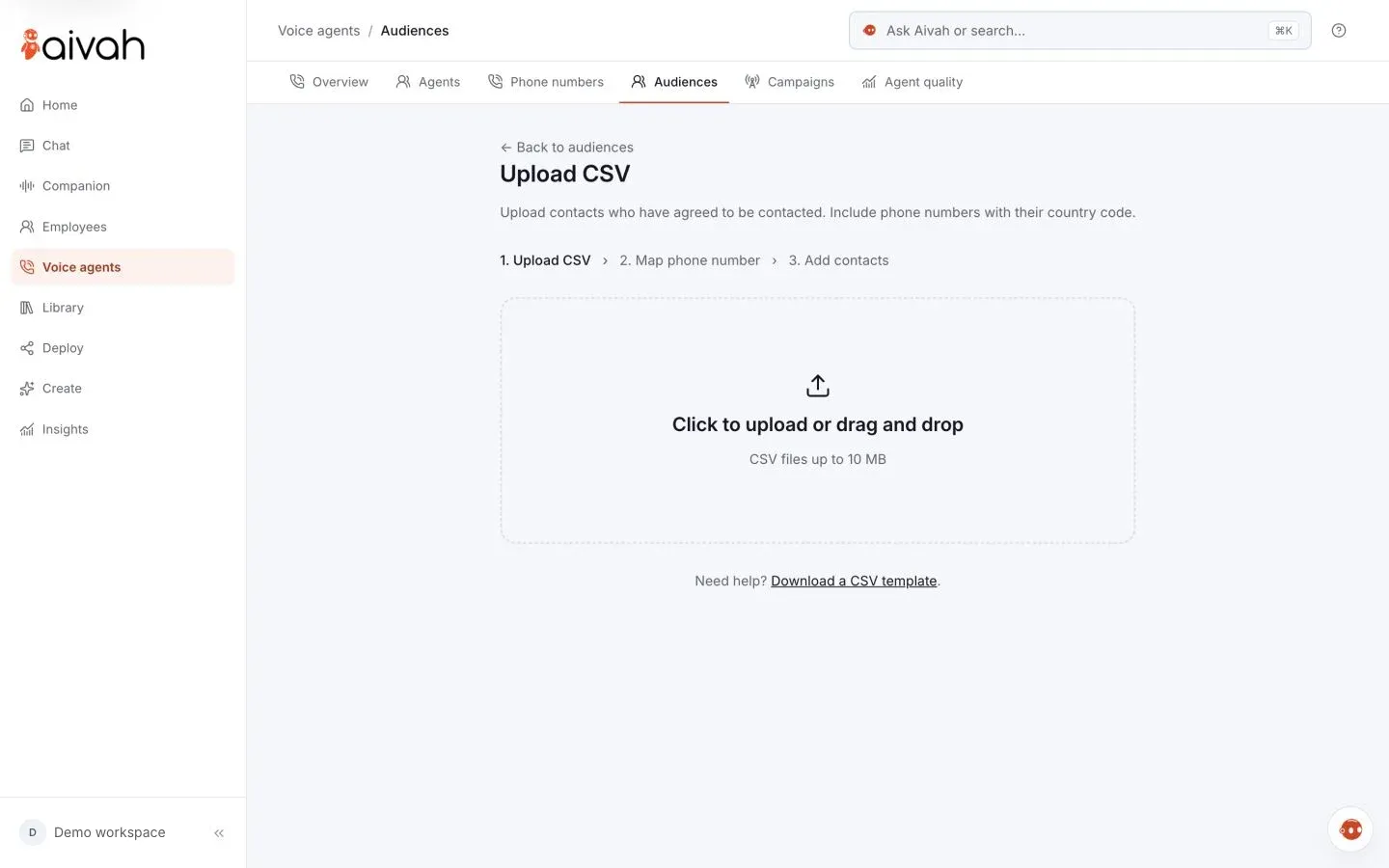
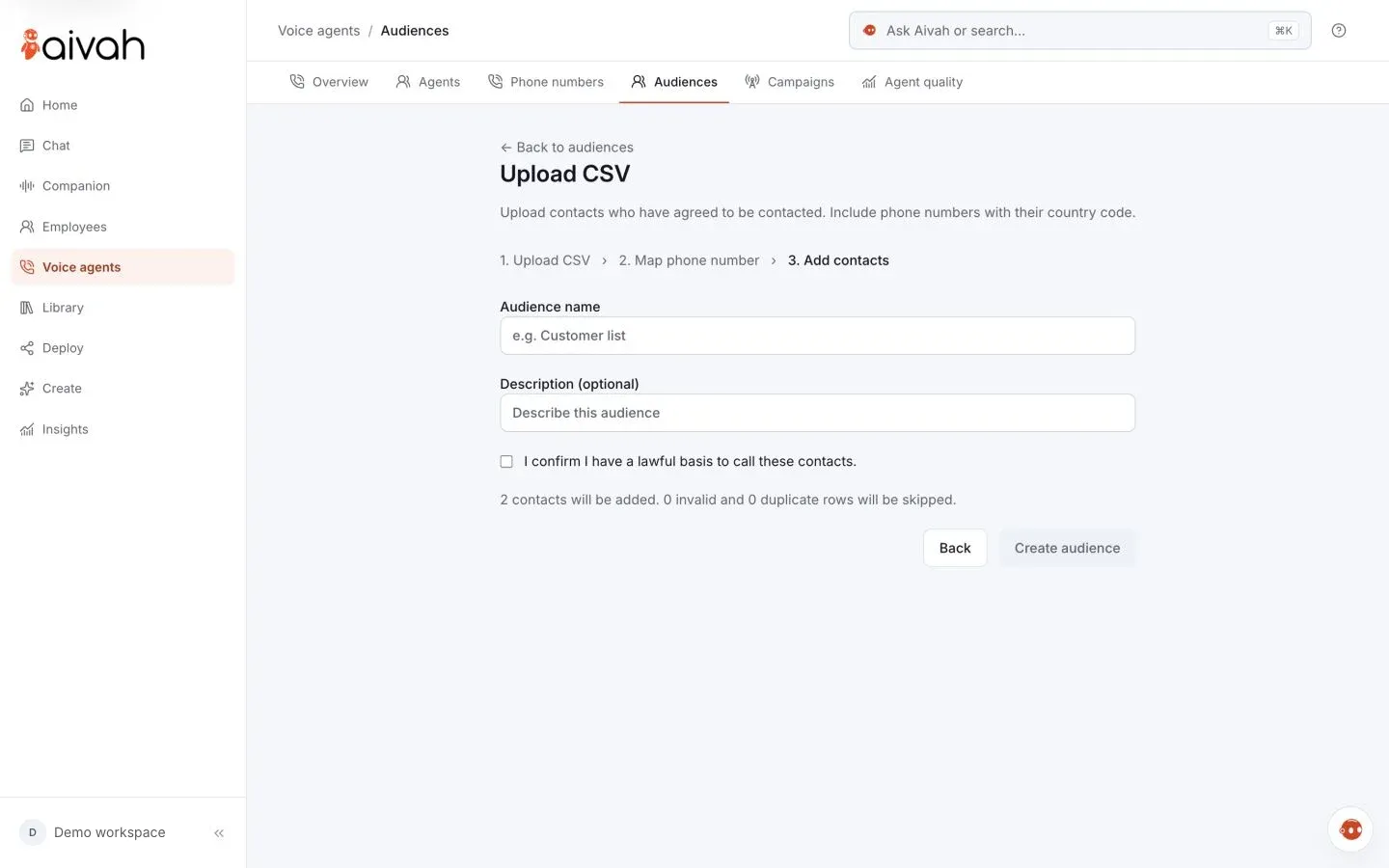
Upload your audience.
Add your contact list as a CSV, and each person's details shape their call.
04
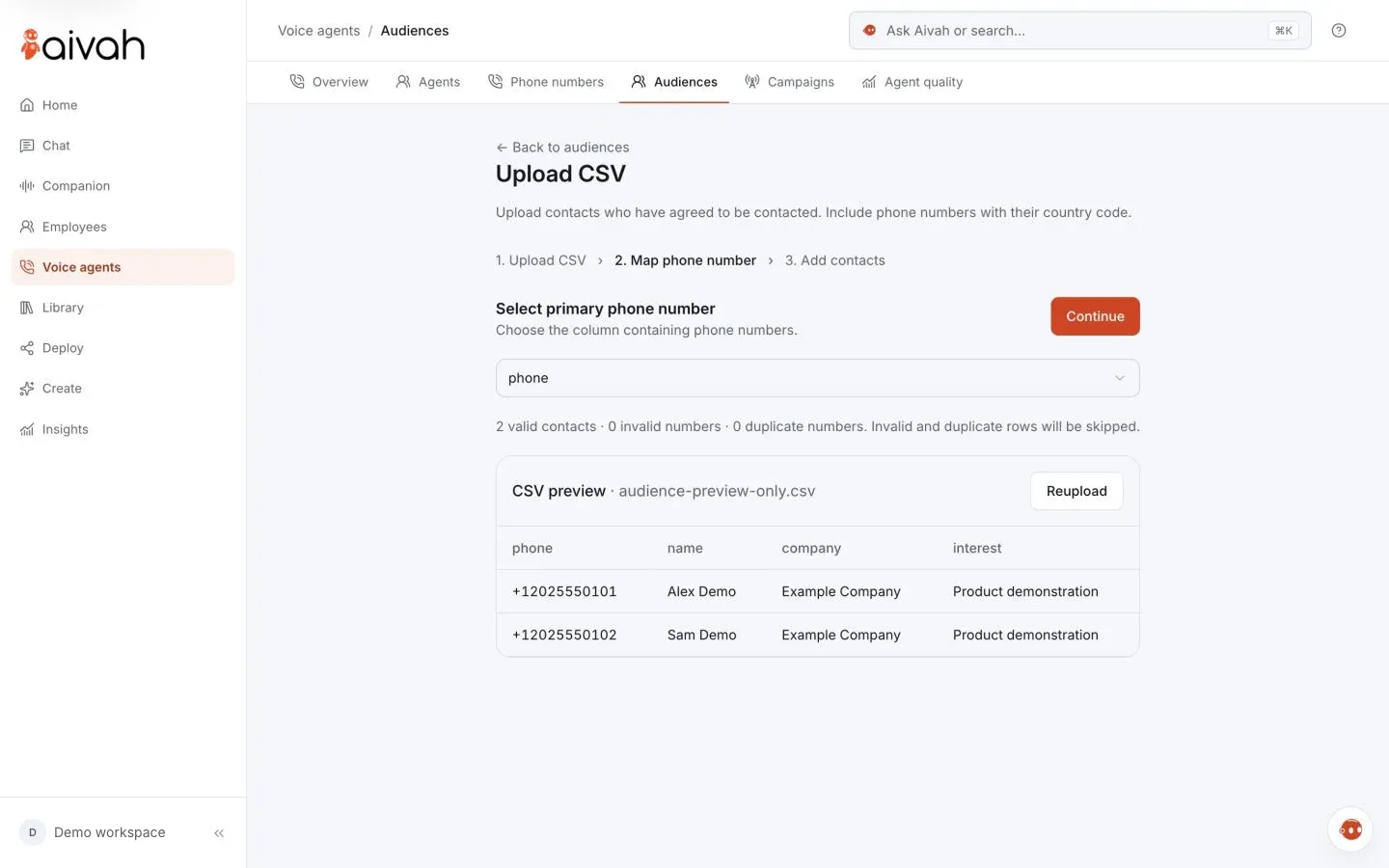
Pick the phone column.
Choose the column that holds the phone numbers, then check the preview.
05
Name the audience.
Give the list a name, see how many contacts it adds, and create it.
06
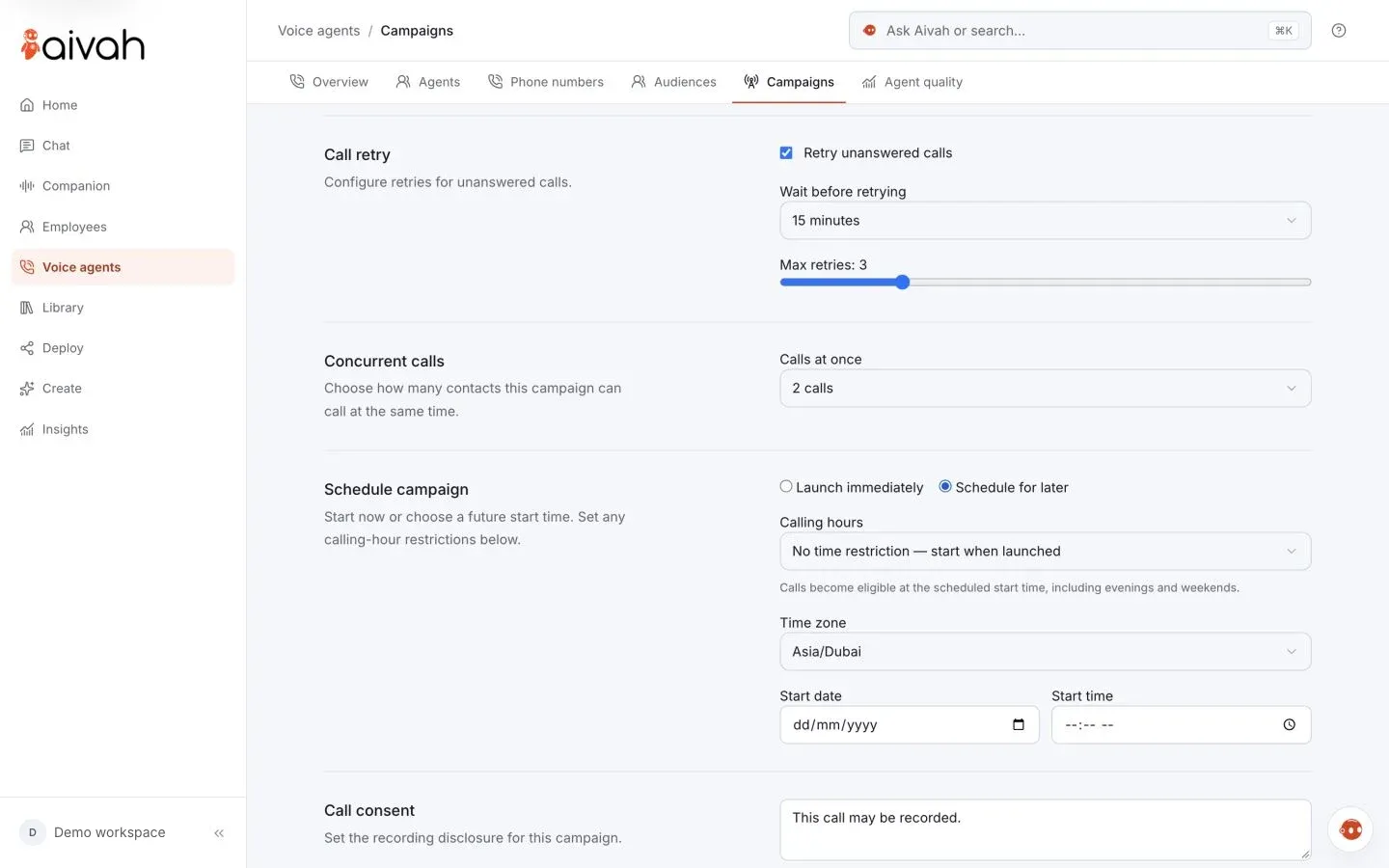
Launch or schedule.
Start calling now, or pick a date, a time and a time zone.
Your number
Your number, your provider.
Bring a number from any SIP provider, such as Twilio.
- Enter the number, its SIP hostname, a username and a password.
- Pick several numbers for a campaign, and calls rotate between them.
- Number rental and calling charges stay with your provider.
What to run
Start with these calls.
Pick one goal for each campaign, and name its outcomes.
Lead qualification.
Call new enquiries, ask your questions and see who qualified.
Customer success check-ins.
Ask customers how it's going, and note who needs a follow-up.
Marketing and follow-up calls.
Follow up after an enquiry or a demo, or tell customers what's new.
Interview screening.
Ask candidates your screening questions. A person reviews the answers and decides.
Results
Results in your own system.
No one has to copy call notes by hand.
- After each call, a signed webhook sends the result, transcript and recording link.
- Custom API tools can check availability or book in your own system.
- Before a tool changes a record, the person on the call confirms.
Calling rules
Your rules, before it dials.
Set for each campaign, before anyone is called.
A lawful basis.
Before launch, you confirm you have a lawful basis to call this audience.
attest: lawful basisA recording disclosure.
Write what people hear about recording. It starts as “This call may be recorded.”
disclosure: per campaignCalling hours.
Pick weekdays, 9 AM to 6 PM, or your own hours. Outside them, calls wait.
window: Mon–Fri 09:00–18:00Retries with limits.
Unanswered calls retry 1 to 10 times. Answered calls and opt-outs don't.
retries: 1–10, default 3Your pace.
Up to 5 calls at once, set for each campaign.
calls at once: 1–5Test it first.
Test agent runs a call in your browser, with a live transcript.
test: in your browser
Upload only contacts who agreed to be contacted, and check your local rules with your adviser.
How you stay in controlAI receptionist
Answers callers. Takes messages.
It answers the questions callers ask most, and takes a message when they need you.
- Start from the Front desk call persona, then edit the call prompt.
- It speaks for your business, without naming the platform.
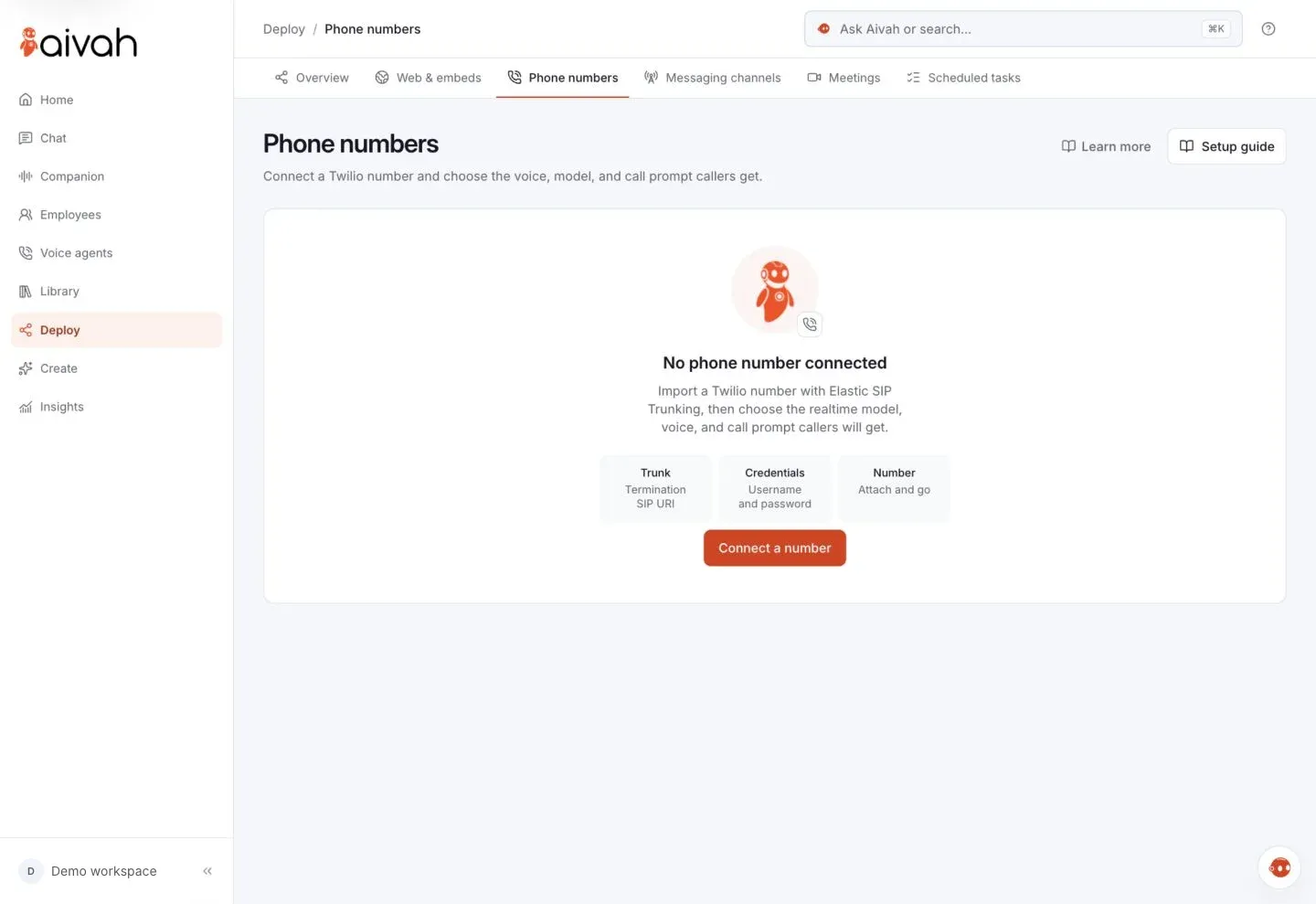
- Connect your number once in Deploy → Phone numbers, with a setup guide.
Calls on request
One call, when you ask.
Message your AI employee on WhatsApp, Slack or Telegram, and it calls from your line.
- If they want a different time, it holds the line and asks you.
- You reply, and it carries on, then reports back in the chat.
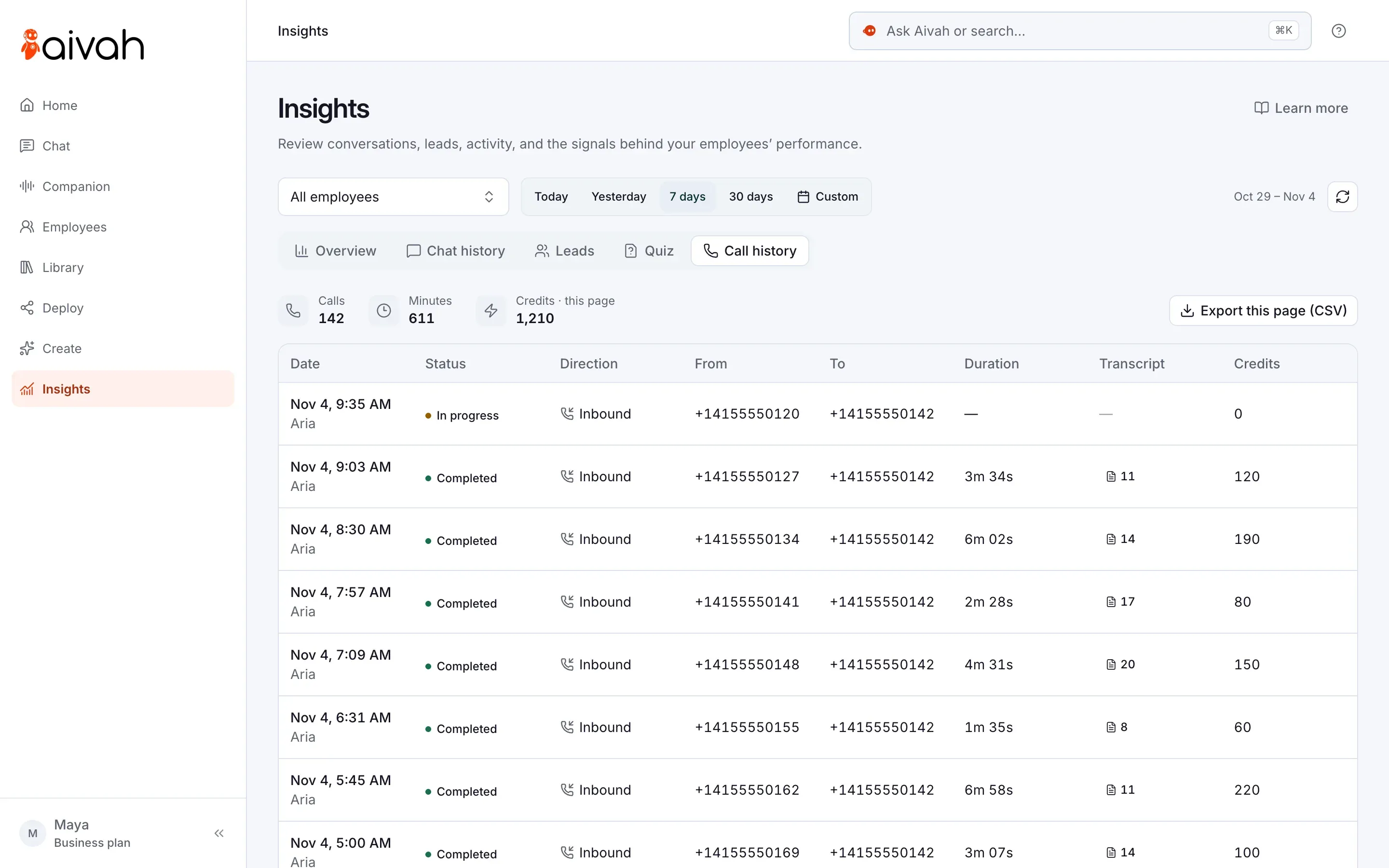
- Calls it answers and makes are in Call history, with transcripts, not recordings.
Questions
Before your first call.
Do calls use credits?
Yes. Each call, made or answered, uses usage credits from your Aivah balance.
What goes in the CSV?
A phone number for each person, with the country code, plus details such as their name. Files can be up to 10 MB. Invalid or duplicate rows are skipped, and you can add people by hand.
Does Aivah sell phone numbers?
No. You bring your own, from your provider. The AI receptionist connects one number per account.
Is it the same AI employee as on my website?
No. Each voice agent has its own call prompt, voice and knowledge from your Library. The AI receptionist has its own voice and call prompt too.
Can it pass a call to me?
No. Voice agents and the AI receptionist don't transfer calls. Your team follows up from the transcript.
Can I edit a voice agent during a campaign?
Yes. Edit it and publish a new version. Campaigns already running keep the version they started with.
Will a voice agent ask for card numbers?
Its call prompt includes a rule never to ask for passwords, PINs or full card numbers. You can add your own rules under Never say.