
Memory
Memory integration guide
Memory Management
AIVAH's intelligent memory system enables your agents to remember key information about users across all platforms and interactions, creating more personalized and contextual conversations.

🧠 How Memory Works
Your AIVAH agent automatically stores and recalls important information during conversations, creating a seamless experience where the agent remembers:
- Personal Details: Names, preferences, and background information
- Conversation History: Previous topics and discussions
- Context Awareness: Relevant details for ongoing projects or relationships
- Cross-Platform Continuity: Information shared across different communication channels
💬 Memory in Action
When users interact with your agent, they can see the memory system working in real-time:

Example Conversation:
- User: "Hey there! I have a couple really happy to chat with you today! What can I help you with?"
- Agent: "Hey my name is James"
- User: "Nice to meet you James! What's on your mind today?"
The agent automatically stores "James" as the user's name and will remember this in future conversations.
🎛️ Manage Memory Page
Side nav → Integrations → Manage Memory (or /integrations/manage-memory) lists every long-term memory the agent has stored for each customer.
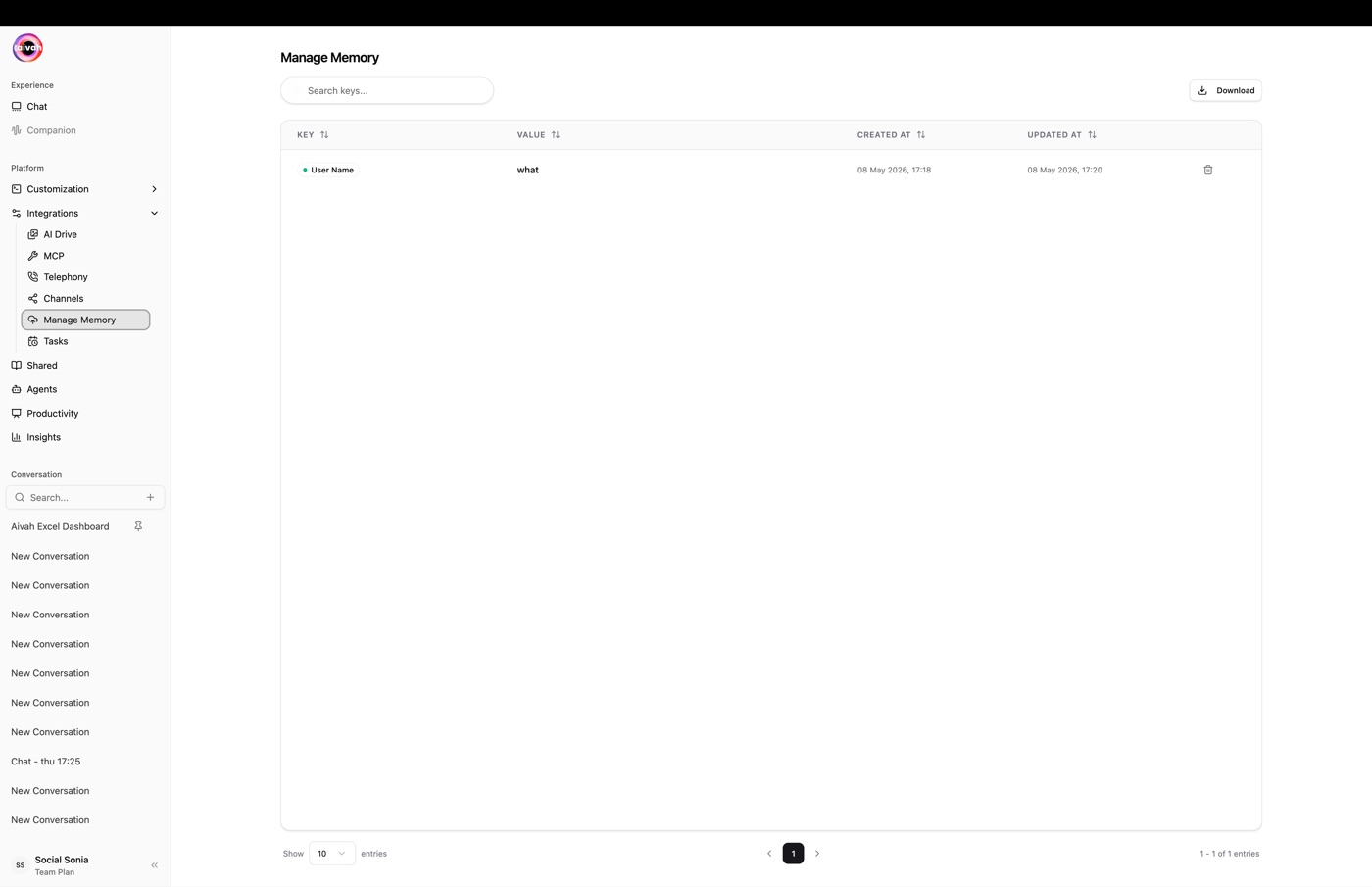
The table has four columns:
| Column | Description |
|---|---|
info_key | What was remembered (for example favorite_colour). |
info_value | The remembered value. |
created_datetime | First time the value was learned. |
updated_datetime | Last time the value changed. |
| Actions | Inline edit and delete on each row. |
Export to CSV
Click Download CSV to export the entire table. The file is named customer-information-YYYY-MM-DD.csv, making it easy to drop into CRMs, spreadsheets, or audit pipelines.
📊 Managing Your Memories
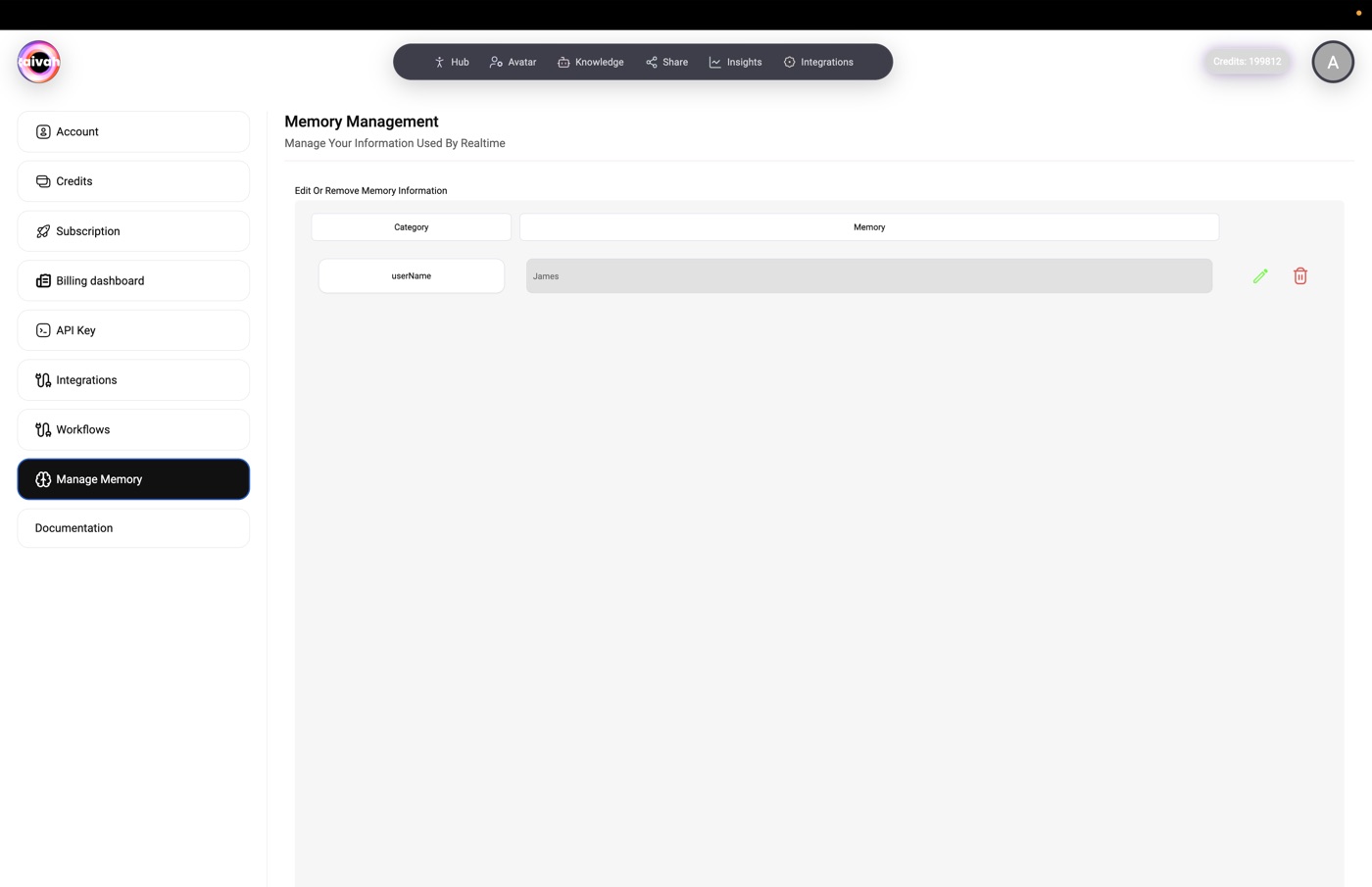
The memory management system provides:
Memory Categories
- userName: Personal identifiers and names
- Additional Categories: Preferences, history, context, and more (each row is keyed by
info_key)
Memory Actions
- Edit Memory: Modify the
info_valueinline with the edit icon - Delete Memory: Remove a row with the trash icon
- Add New: Use the manual entry option to capture important information that the agent did not learn on its own
- Export: Hit Download CSV for a full backup
Memory Details
Each memory entry includes:
- Key (
info_key): Type of information stored - Value (
info_value): The actual information remembered - Timestamps: When the memory was first stored and last updated
- Actions: Edit and delete options
⚙️ Memory Configuration
Automatic Memory Storage
- Smart Detection: Automatically identifies important information
- Context Awareness: Understands when information should be remembered
- Cross-Reference: Links related memories for better context
Manual Memory Management
- Add Information: Manually store important details
- Update Existing: Modify stored information as it changes
- Remove Outdated: Delete irrelevant or outdated memories
🔒 Privacy and Security
Data Protection
- Secure Storage: All memories are encrypted and securely stored
- User Control: Full transparency and control over stored information
- Retention Policies: Configurable retention periods for different memory types
Access Management
- Permission Controls: Define who can access memory information
- Audit Trails: Track memory access and modifications
- Export Options: Download your memory data for backup
🚀 Best Practices
Effective Memory Usage
- Regular Review: Periodically review and clean up stored memories
- Accurate Information: Ensure stored information is current and correct
- Strategic Storage: Focus on information that enhances user experience
Memory Optimization
- Relevant Details: Store information that improves conversation quality
- Context Preservation: Maintain conversation context across sessions
- User Preferences: Remember user preferences and communication styles
📈 Memory Analytics
Track memory usage and effectiveness:
- Memory Growth: Monitor how your agent's memory evolves
- Usage Patterns: Understand which memories are most frequently accessed
- Conversation Impact: Measure how memory improves conversation quality
🔧 Integration with Other Features
Cross-Platform Memory
- Telephony: Remember caller information across phone conversations
- Chat: Maintain context in text-based interactions
- MCP Apps: Store information from connected applications
Workflow Integration
- Automated Storage: Trigger memory storage through workflows
- Conditional Logic: Use memory in decision-making processes
- Data Sync: Synchronize memory with external systems
🆘 Troubleshooting
Common Issues:
- Memory Not Storing: Check permissions and system status
- Incorrect Information: Use edit function to correct stored data
- Missing Context: Verify cross-platform memory settings
- Performance Impact: Regular cleanup maintains optimal performance
The memory system transforms your AI agent from a stateless responder to an intelligent assistant that builds relationships through remembered interactions.